

Choosing a classification method for choropleth maps
Choose between Equal Interval, Quantile, Natural Breaks, and Head/Tail Breaks when you colour points, lines, or polygons by a number.
Equal Interval, Quantile, Natural Breaks (Jenks), and the head/tail method all give valid maps. They also give visibly different maps from the same data. Choose the method that fits your data and the question the map answers.
See it on an example map
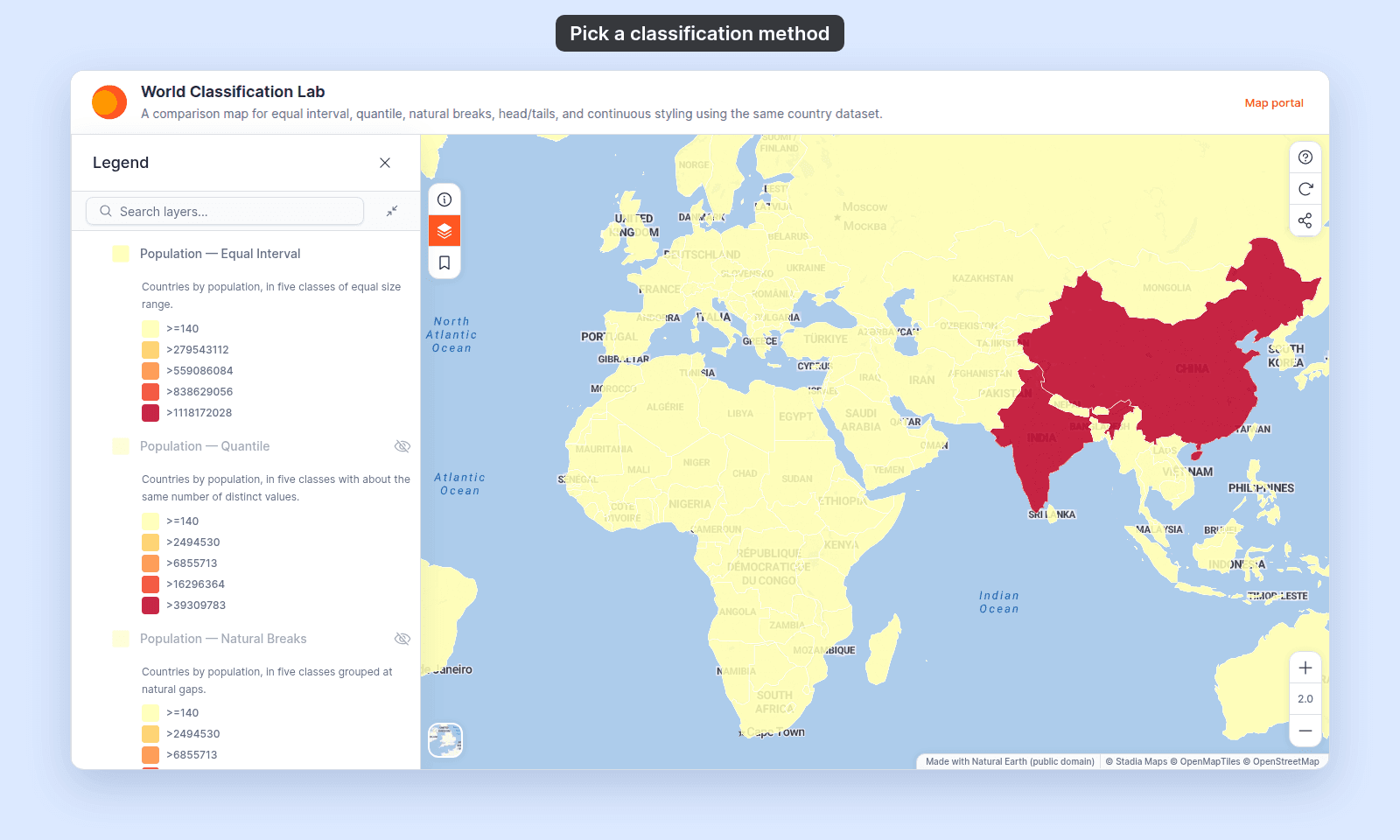
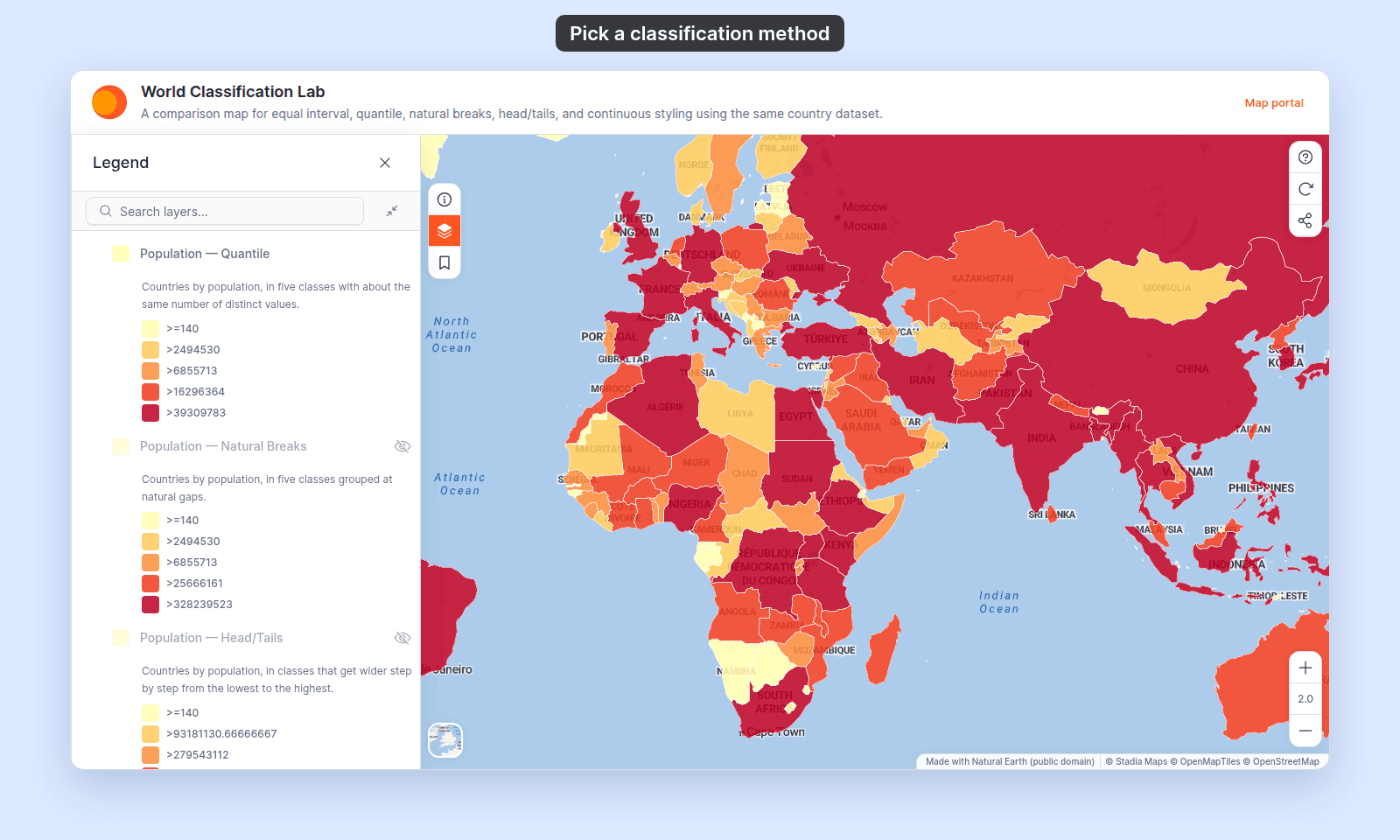
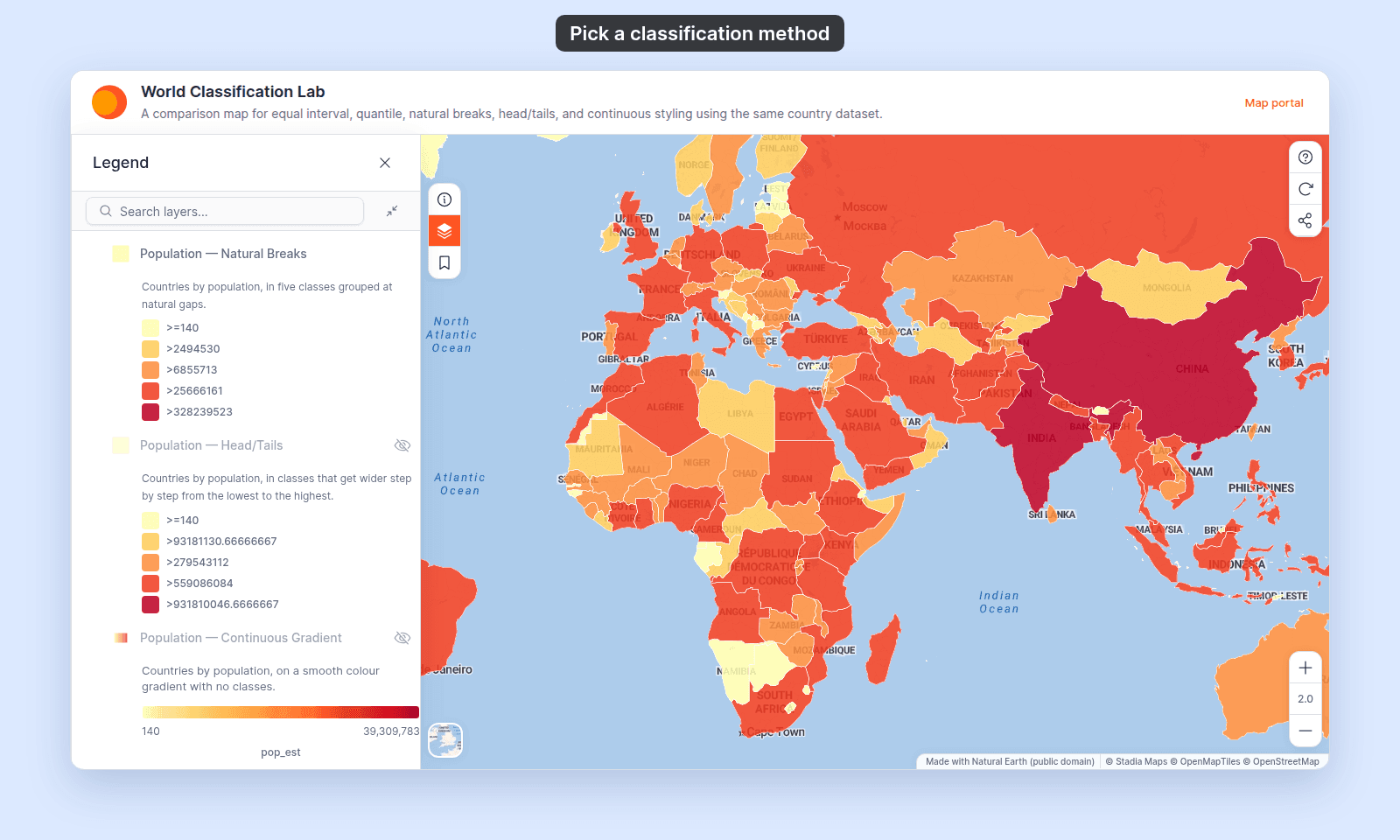
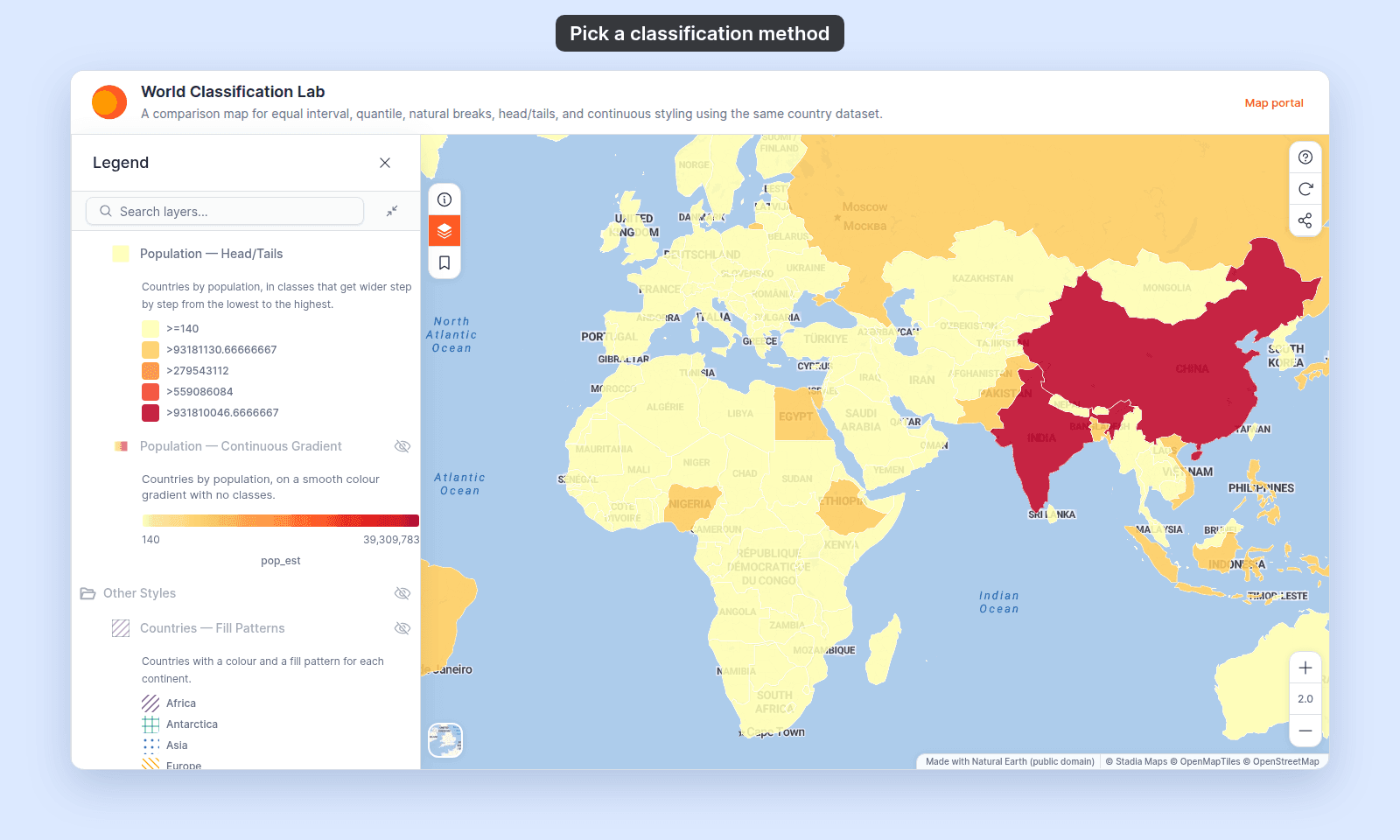
Open the World Classification Lab. Population — Equal Interval is on when the map opens. Turn it off and turn on Population — Quantile. Do the same with the other layers in Population Classes, and see how the same countries change colour.
The classification method works the same way on every geometry: countries coloured by population, roads coloured by length, or cities coloured by population.
This page explains how to choose a method. The companion reference, Classification methods for by-quantity styling, defines each method.
The same data, four maps
Take a polygon layer of 177 world countries with a pop_est population field. The smallest value is 140. The largest is about 1.4 billion. Half the countries have fewer than about 10 million people, and a few have hundreds of millions.
Colour the layer by pop_est with 5 classes. Here’s what each method does to the same data:
Equal Intervalsplits the range into 5 bands of about 280 million each. 174 countries fall in the first band. Two middle bands are empty. Only China, India, and the United States stand out. The map is true to the absolute numbers, but it hides every difference between typical countries.Quantilesorts the values and puts about the same number of them in each class, here about 35 countries. Every colour covers a similar share of the countries, so the map shows rank: the bottom fifth, the middle, the top fifth. Class boundaries fall at uneven numbers. The map gains comparison; the legend loses round figures.Natural Breaks (Jenks)finds gaps in the distribution and puts the class breaks there. The map shows the groups the data falls into naturally.Head/Tail Breaksmakes classes that get wider from the lowest class to the highest. The lowest class is narrower than withEqual Interval, but on this data 162 countries still fall in it. The map gives a little more detail among the smaller values, and the largest countries still stand alone.
The same numbers give four maps. Each method answers a different question.
To see why the maps are different, compare where each method puts its class breaks and how many countries each class gets.
Each tab shows the same layer with one method, as a viewer sees it, with its legend.
Match the method to your data’s shape
- Values spread evenly across the range.
Equal Intervalworks, because equal-width classes hold real slices of the data. Rainfall measured at weather stations (points) can look like this. - A few large values and many small ones.
Equal Intervalputs most features in one colour. Country population (polygons) looks like this. So does road length (lines): half the Singapore road segments are under about 30 metres, and a few run for several kilometres. PickQuantile(every class holds features) orNatural Breaks (Jenks)(class breaks at gaps) instead. - Clear groups in the data.
Natural Breaks (Jenks)is built for this. It finds the gaps and puts the class breaks there. - You want simple ranges with more detail at the low end.
Head/Tail Breakskeeps ranges tied to the number line, likeEqual Interval, but makes the low classes narrower. - You don’t know the shape yet. Try
Natural Breaks (Jenks)first. It is the default when you pick a numeric field, and it gives sensible class breaks for most real data.
Match the method to your reader’s question
The method also sets what the map shows. Four viewer questions, four method picks:
- “How does this feature compare to the others?”
Quantile. Each class holds a similar number of values, so the colour shows rank. - “Where are the natural groupings?”
Natural Breaks (Jenks). The class breaks fall at the gaps. - “How large is this value on an absolute scale?”
Equal Interval. Use it when the width of a class means something: rainfall in mm, temperature in degrees, elevation in metres. - “How large is this value, with more detail among the small ones?”
Head/Tail Breaks. The classes stay tied to the number line but start narrow.
To pick fast, answer these questions in order. The first yes gives your method, and Natural Breaks (Jenks) is the answer when none fits.
When in doubt, try two and compare
The quickest way to choose is to compare the results. Style the layer with Natural Breaks (Jenks), save, and look. Style it with Quantile, save, and look. The right one is usually clear once you see both. The wrong one puts most features in one colour or makes the legend hard to read.
Switching the classification method rebuilds the class breaks from scratch. Any changes you made to a class break’s colour, range, or label are lost. Compare methods first, then customise.
What this isn’t
This page doesn’t replace Classification methods for by-quantity styling. That page defines each method and how it calculates the class breaks. This page helps you choose between them.
It also doesn’t cover How to customise category and class break symbology. Once you’ve picked a method, you can round awkward boundaries (17.342 → 20), rename labels, or change colours. That’s a separate task.
Related
- Classification methods for by-quantity styling: the reference for each method.
- How to style features by quantity: the how-to that uses the method.
- How to customise category and class break symbology: what to do once you’ve picked.
- My classification produced empty buckets or weird breaks
- How layer styling works in MangoMap: the wider styling model.
- Planning a thematic map in MangoMap: the earlier choice of what kind of thematic map fits your data.