

How to embed a video file in a custom popup
Play an MP4 or WebM video file in a custom popup with the Insert iframe button. Use one video for every feature or a different video for each one.
Paste the address of an .mp4 or .webm file into Insert iframe, and the popup plays it in a video player. MangoMap does not host the file: it must be at a public https:// address, such as your own web server.
See it on an example map
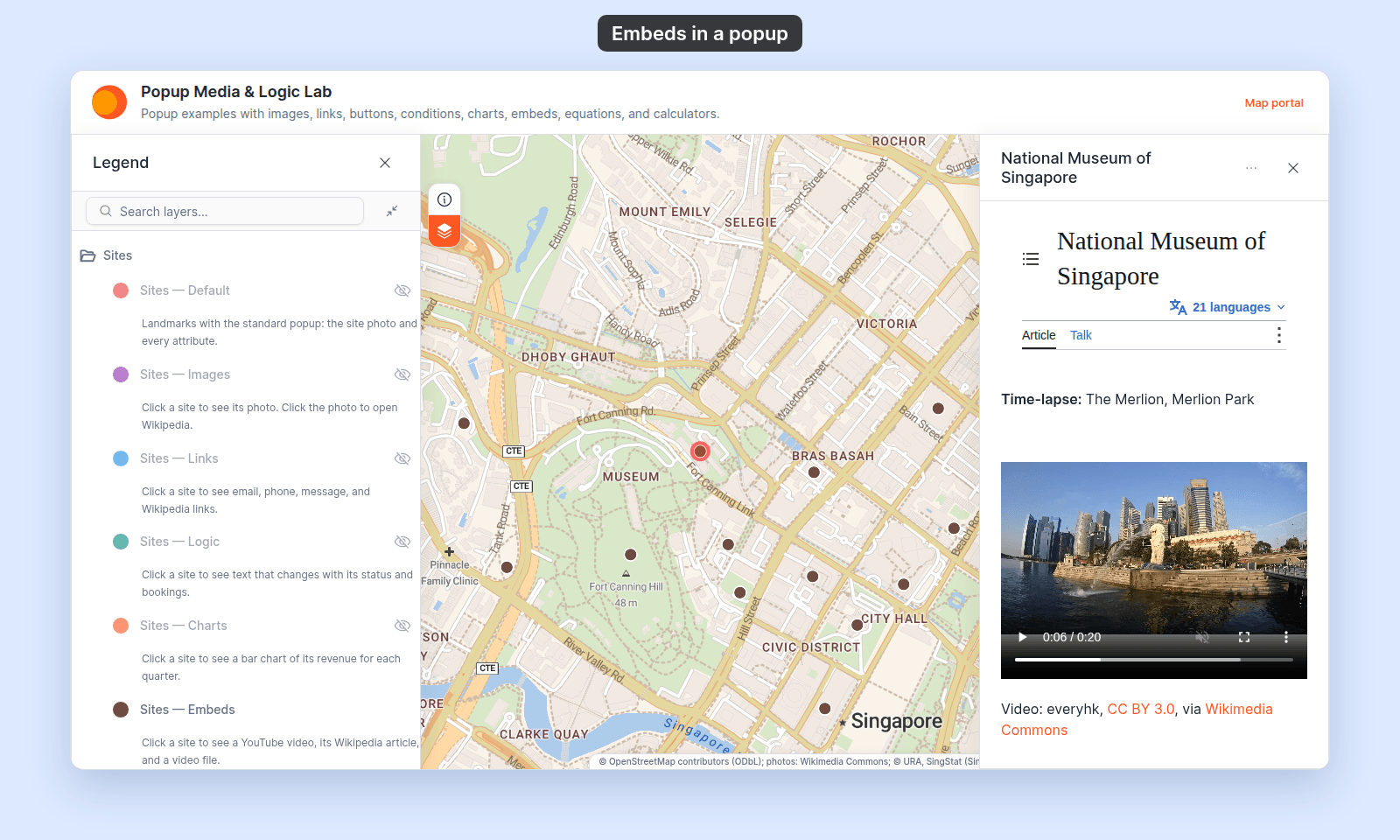
Open the Popup Media & Logic Lab. In the legend, turn on Sites — Embeds and turn off Sites — Default. Click a site. Its popup shows a video player with the Merlion time-lapse video file.
Before you start
- The popup type must be
Custom. See How to write a custom popup template. - You need a public
https://address whose path ends in.mp4or.webm. - For a YouTube video, use
Insert YouTube videoinstead. See How to embed a YouTube video in a custom popup.
Insert the video
- In the Custom popup editor, place the cursor where you want the video.
- Click
Insert iframein the toolbar. - Paste the video file’s address into
Embed URL. - Set
Height (pixels)if you want the player taller or shorter. The default is 300. - Press
Enteror clickEmbed.
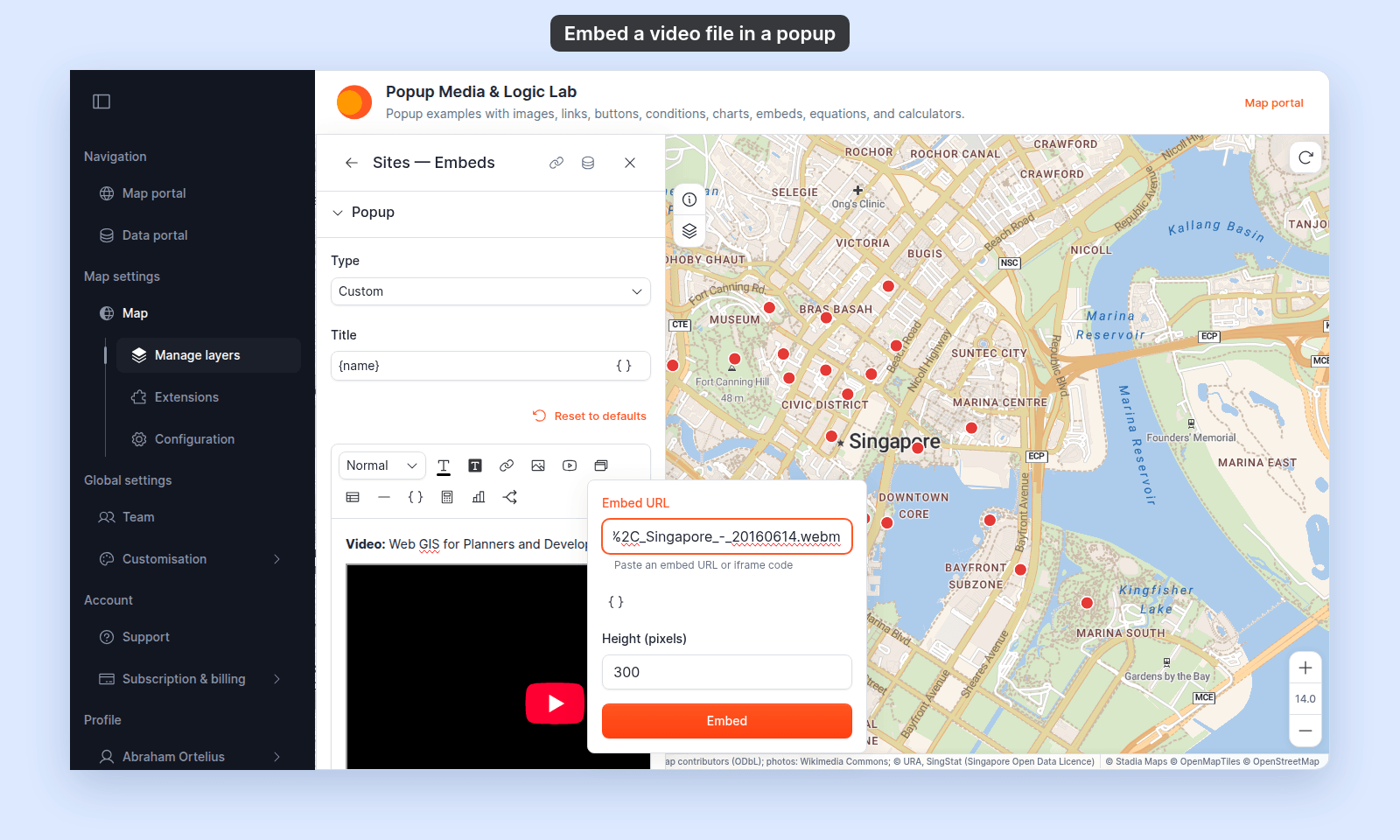
The editor inserts a video player. The player fills the popup’s width, shows its controls, and does not start on its own.
Use the same video for every feature
Paste a fixed address. The same video plays in every feature’s popup.
Use a different video per feature
Put a {field_name} variable in the address. Click Insert simple variable in the dialog to add one at the cursor, or type it. For example, with an attribute slug:
https://example.com/videos/{slug}.mp4The editor cannot load an address that still has a variable in it, so it shows a dashed box with Embed: and the address. The popup fills in each feature’s value. If the attribute is empty for a feature, that feature’s popup leaves the player out.
Check the video
Save the popup, then click a feature on the map and play the video:
If the video doesn’t play
- The address starts with
http://. The dialog refuses it withUse an HTTPS embed URL from an external site. Use thehttps://address. - The address does not end in
.mp4or.webm. The dialog embeds it as a web page, not a player. Use the address of the file itself. - The file host blocks other sites. Some hosts refuse to serve files to other websites. Open the popup on the map to test the address before you rely on it.
Save the popup
After inserting the video, click Save Changes at the bottom right of the editor.
Related
- How to embed an iframe in a custom popup — the same dialog, and the address rules
- How to embed a YouTube video in a custom popup
- How to insert attribute values into a custom popup
- Popup tab controls