

WMS connection failed
Fix a WMS connection error on the Connect button. Check the full GetCapabilities URL, HTTPS, CORS limits, authentication, and the WMS XML.
If Connect shows a WMS fetch or parse error, MangoMap could not read the GetCapabilities response from the URL.
Work through these checks in order. The first one that fails points to its fix in the sections below:
Most likely cause: the URL is wrong or incomplete
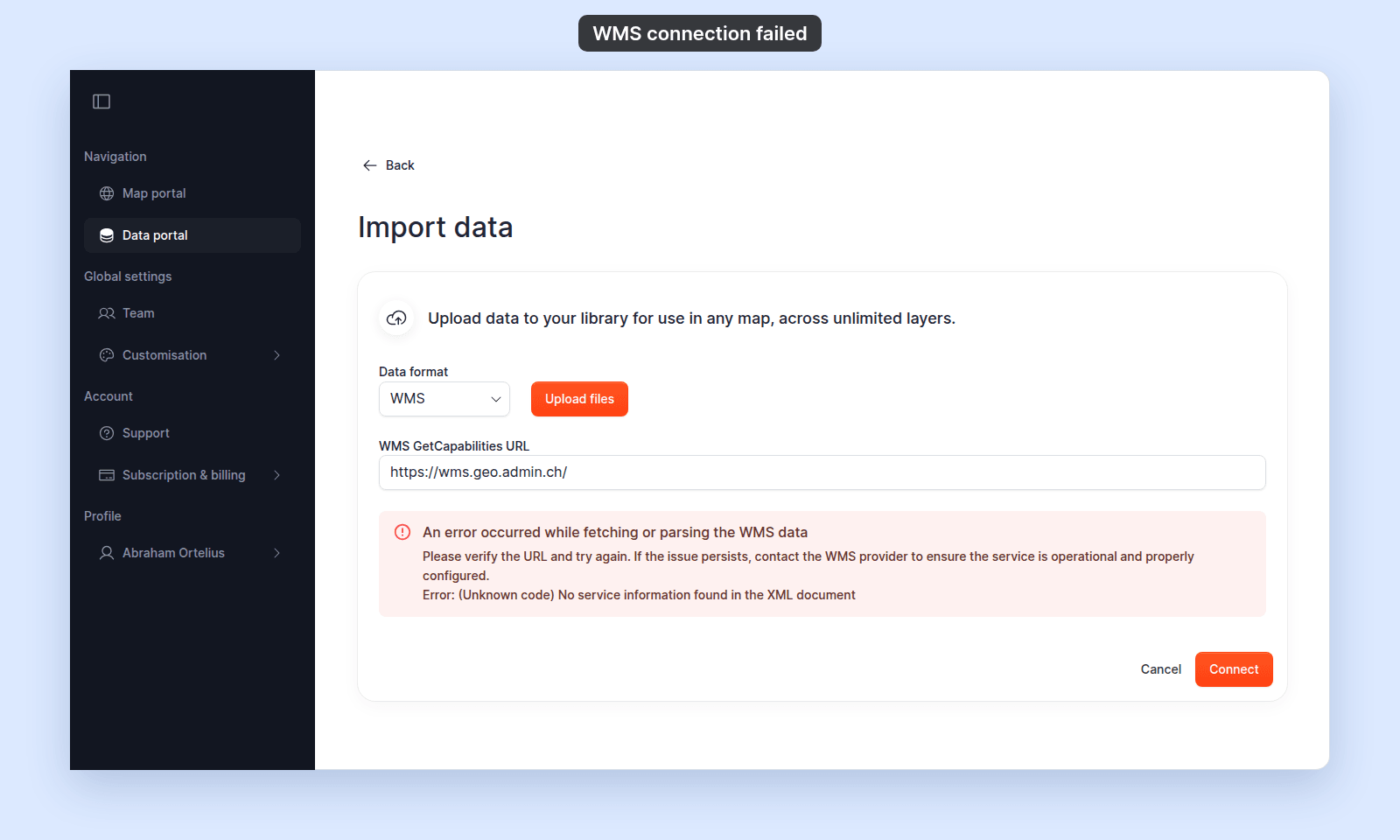
The WMS GetCapabilities URL field expects the full GetCapabilities request URL. A common mistake is to paste the WMS service’s base URL without the ?service=WMS&request=GetCapabilities query parameters. Here, the swisstopo service’s base URL gets an error because the service sends back an HTML page, not a capabilities document:
How to verify.
Open the URL directly in a new browser tab. A correct GetCapabilities URL returns an XML document that begins with <?xml version="1.0" ...?> and contains <WMS_Capabilities> or <WMT_MS_Capabilities> near the top.
Fix.
If the page is blank, an HTML error, or anything other than XML, append the standard GetCapabilities query parameters:
https://example.com/geoserver/wms?service=WMS&request=GetCapabilitiesSome providers also require &version=1.3.0.
Less common: the service is HTTP, not HTTPS
MangoMap only accepts HTTPS GetCapabilities URLs. If yours starts with http://, the form rejects it before sending — you’ll see Only HTTPS URLs are supported instead of the parse error.
Fix.
Try replacing http:// with https://. Most public WMS services support both. If the provider only offers HTTP, the service cannot be connected to MangoMap.
Less common: the service blocks browser requests (CORS)
Some WMS services don’t include the CORS headers that allow a browser to read the response from another origin. The browser fetches the URL fine when you paste it directly, but MangoMap’s request fails because the response isn’t readable.
How to verify.
Open your browser’s developer tools (F12 or ⌘⌥I), watch the Network tab while clicking Connect, and check the failed request for a CORS error in the console.
Fix.
CORS is a server-side configuration. The provider must enable it. If you don’t control the WMS, contact the provider and ask them to add Access-Control-Allow-Origin: * (or your account’s origin) to their WMS responses. There is no client-side workaround.
Less common: the service requires authentication
Some WMS services require credentials. If the URL needs HTTP basic auth or a token, embedding credentials in the URL (https://user:pass@host/...) sometimes works but is unreliable. MangoMap doesn’t have a separate authentication field for WMS.
Fix.
If your provider supports an unauthenticated WMS endpoint or token-in-URL, use that. Otherwise, this service can’t be connected to MangoMap directly — download the data and import it as a vector file instead.
Less common: the response isn’t valid WMS XML
The URL returns something other than a GetCapabilities document — for example, an HTML error page wrapped in XML, a WMTS capabilities document instead of WMS, or a malformed XML response.
How to verify.
The error alert in MangoMap shows the underlying parse error below the main message. If it mentions XML parsing or unexpected elements, the response shape is the problem.
Fix.
Confirm the URL points to a WMS service (not WMTS, not WFS). Try adding &version=1.3.0 to force a specific version.
If none of the above
Test your GetCapabilities URL with curl -i from a terminal. Replace the example URL with yours:
$ curl -i "https://example.com/geoserver/wms?service=WMS&request=GetCapabilities"
HTTP/1.1 200 OK
Content-Type: text/xml; charset=UTF-8

<?xml version="1.0" encoding="UTF-8"?>
<WMS_Capabilities version="1.3.0" ...>- A
200 OKwith XML body confirms the service is reachable from the public internet. - A
403,401, or HTML body points to authentication or routing issues at the provider. - A network error confirms the URL is unreachable.
If the URL works in curl and in a browser tab but fails from MangoMap, the most likely remaining cause is CORS — contact the provider.