

How to import a KML file
Import one .kml file as a dataset. MangoMap does not accept KMZ archives, so extract the .kml first. Learn how KML styling is handled.
MangoMap imports one .kml file as a dataset. It does not accept KMZ archives. Extract the .kml before upload.
Before you start
- You need an account role of
Adminor above to import data. - The file extension must be
.kml. - The file must be 5 GB or smaller.
Open the import page
From the Data page, click Import data. Or, from a map, open Manage layers and click Import new data to import directly into that map.
Pick the format and upload
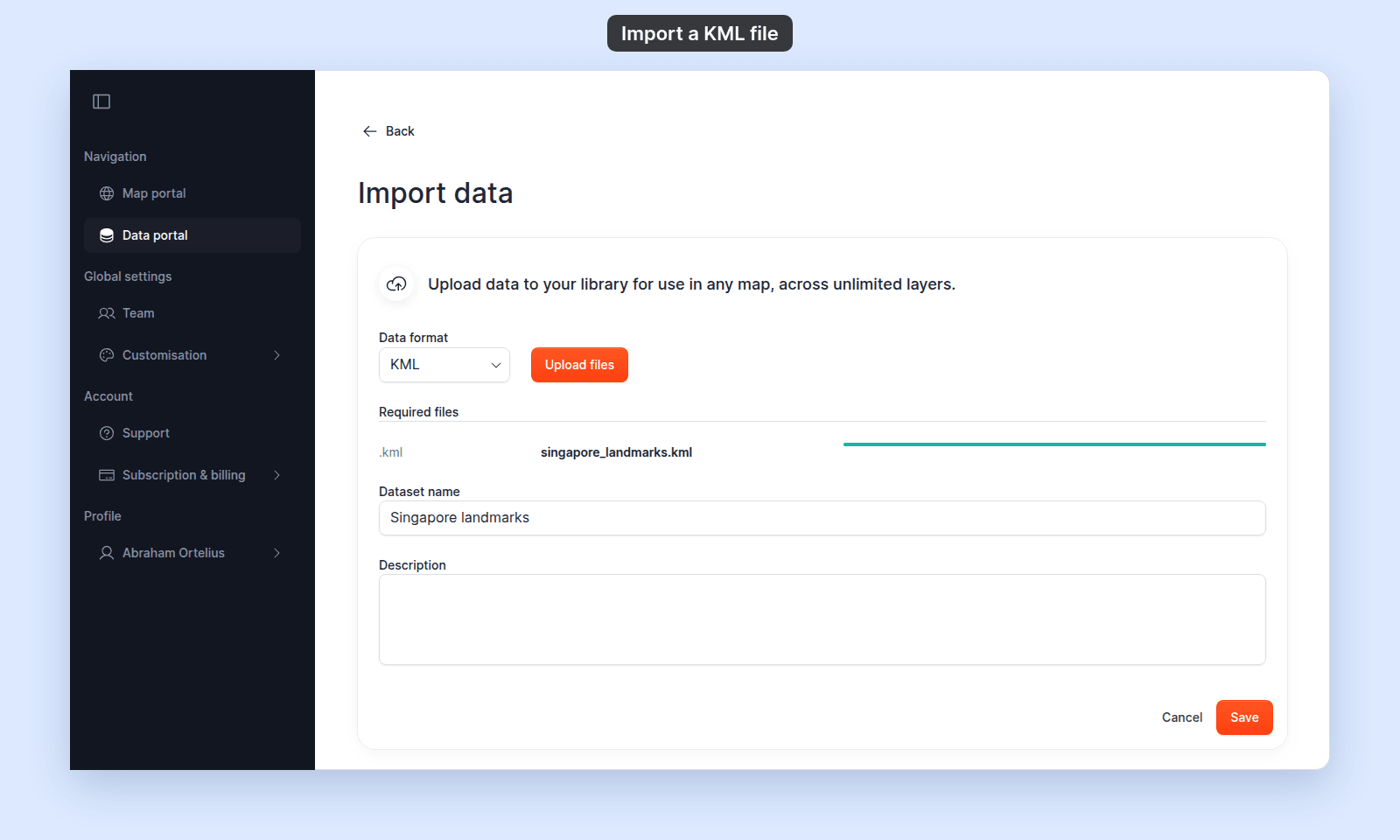
In the Data format dropdown, select KML. Click Upload files and select your .kml, or drag it onto the page. Wait until the progress bar is full and green.
Name the dataset and save
- Enter a
Dataset name. It is required, and MangoMap fills it in from the file name. - Optionally add a
Description.
Click Save. A Processing data… dialog appears while MangoMap reads the file. When processing finishes, you land on the dataset detail page (or back on the map).
If you only have a .kmz
A .kmz is a zipped archive containing a .kml (and optional images). With KML selected, a .kmz is turned away with This data type is not currently supported. To import the data into MangoMap:
- Rename the
.kmzto.zip. - Extract it.
- Find the
.kmlinside (oftendoc.kml). - Upload that
.kmlto MangoMap.
MangoMap does not preserve images from a KMZ. It imports the geometry and attributes.
If your KML uses styling
KML files can carry their own styles (colours, icons, line widths). MangoMap imports the geometry and attributes but applies its own default styling. Re-style the layer in MangoMap after import.
Troubleshooting
The file imports but features don’t appear. The KML may use <NetworkLink> elements that point to data hosted elsewhere. MangoMap reads only the geometry inside the file itself; linked feeds are not followed. Resolve the network links into a flat KML before importing.
Storage limit reached. Your account has run out of storage. See Storage limit reached when importing.