

How to import a GeoJSON file
Import one .geojson file in WGS84 (EPSG:4326). Files that end in .json need renaming first, and files with mixed geometry types need care.
MangoMap accepts one .geojson file in WGS84 (EPSG:4326). The file must use the .geojson extension. Rename valid GeoJSON files that end in .json before upload.
Before you start
- You need an account role of
Adminor above to import data. - The file extension must be
.geojson. Files with a.jsonextension are not accepted by this format option. - Coordinates should be in
EPSG:4326(WGS84) — the GeoJSON spec default. If your file uses another coordinate system, convert it toEPSG:4326first. - The file must be 5 GB or smaller.
Open the import page
From the Data page, click Import data. Or, from a map, open Manage layers and click Import new data to import directly into that map.
Pick the format and upload
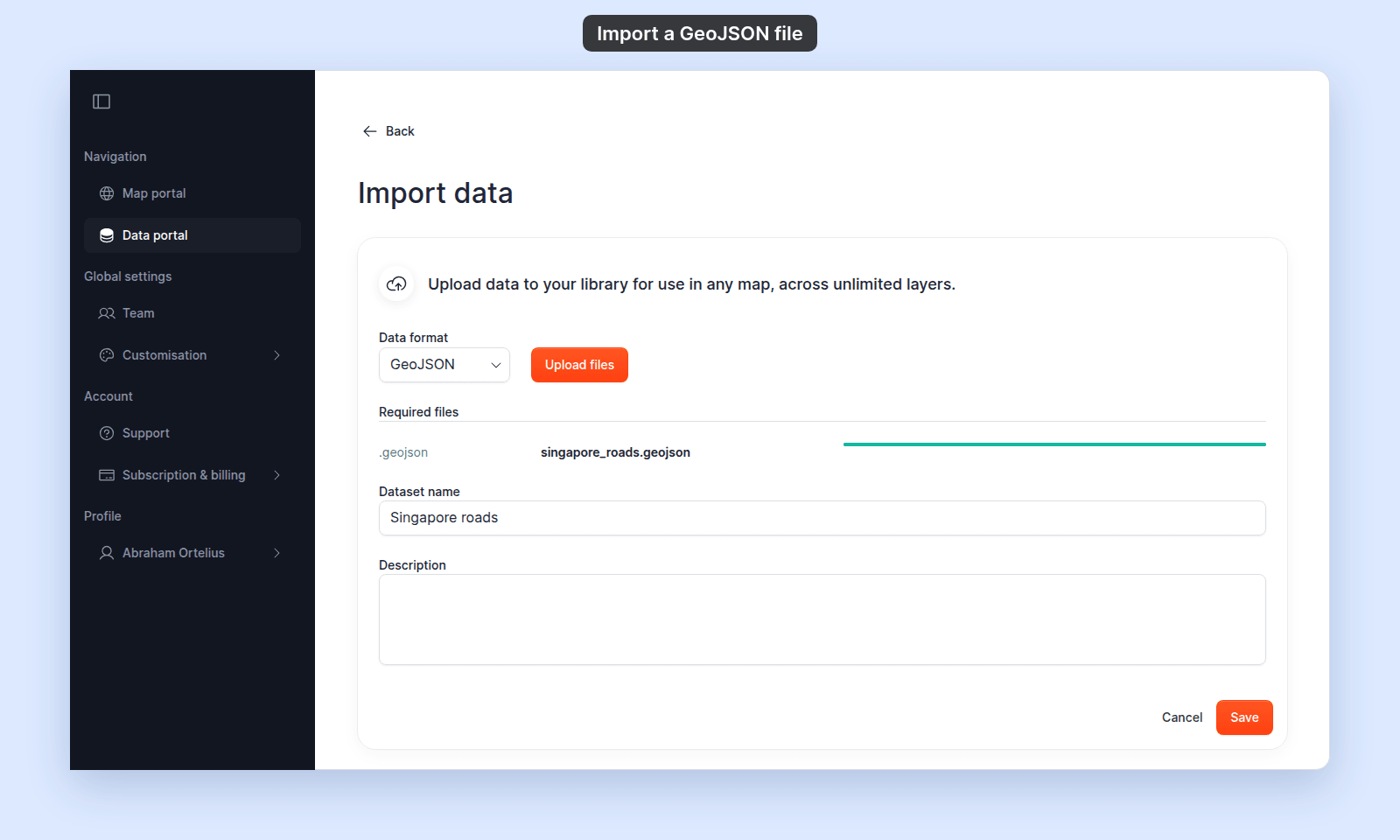
In the Data format dropdown, select GeoJSON. Click Upload files and select your .geojson, or drag it onto the page. Wait until the progress bar is full and green.
Name the dataset and save
- Enter a
Dataset name. It is required, and MangoMap fills it in from the file name. - Optionally add a
Description.
Click Save. A Processing data… dialog appears while MangoMap reads the file. When processing finishes, you land on the dataset detail page (or back on the map).
Every property in the file becomes a field, including any latitude and longitude properties. Unlike a CSV import, these stay ordinary fields: editing them does not move the point.
If your file is .json, not .geojson
The GeoJSON option only accepts the .geojson extension. A .json file is turned away with This data type is not currently supported. Rename the file to end in .geojson before uploading — the contents don’t need to change.
If your file mixes geometry types
GeoJSON FeatureCollection files can contain a mix of points, lines, and polygons. MangoMap imports the file but shows each geometry type as its own layer. If your data is meant to be a single layer of one type, split the file into separate .geojson files per geometry type before importing.
Troubleshooting
Processing fails with Unsupported coordinate system. The crs member in your GeoJSON declares a projection MangoMap can’t reproject from. Convert the file to EPSG:4326 first using QGIS or ogr2ogr -t_srs EPSG:4326. See Unsupported coordinate system.
Features appear in the wrong location. The file claims WGS84 but contains projected coordinates (large X/Y values). Reproject to true WGS84 before re-importing.
Storage limit reached. Your account has run out of storage. See Storage limit reached when importing.