

Supported file formats and limits
Check which vector, raster, and tabular file formats MangoMap supports, the file size limit, storage by plan, and coordinate systems.
Use this page to check that MangoMap supports your data before you start. MangoMap accepts vector, raster, and tabular files up to 5 GB each, plus live WMS connections. Your plan sets the total storage limit. See the table at the bottom.
You pick the format in the Data format dropdown on the Import data page. Where the dropdown name differs from the format name, the table notes give it.
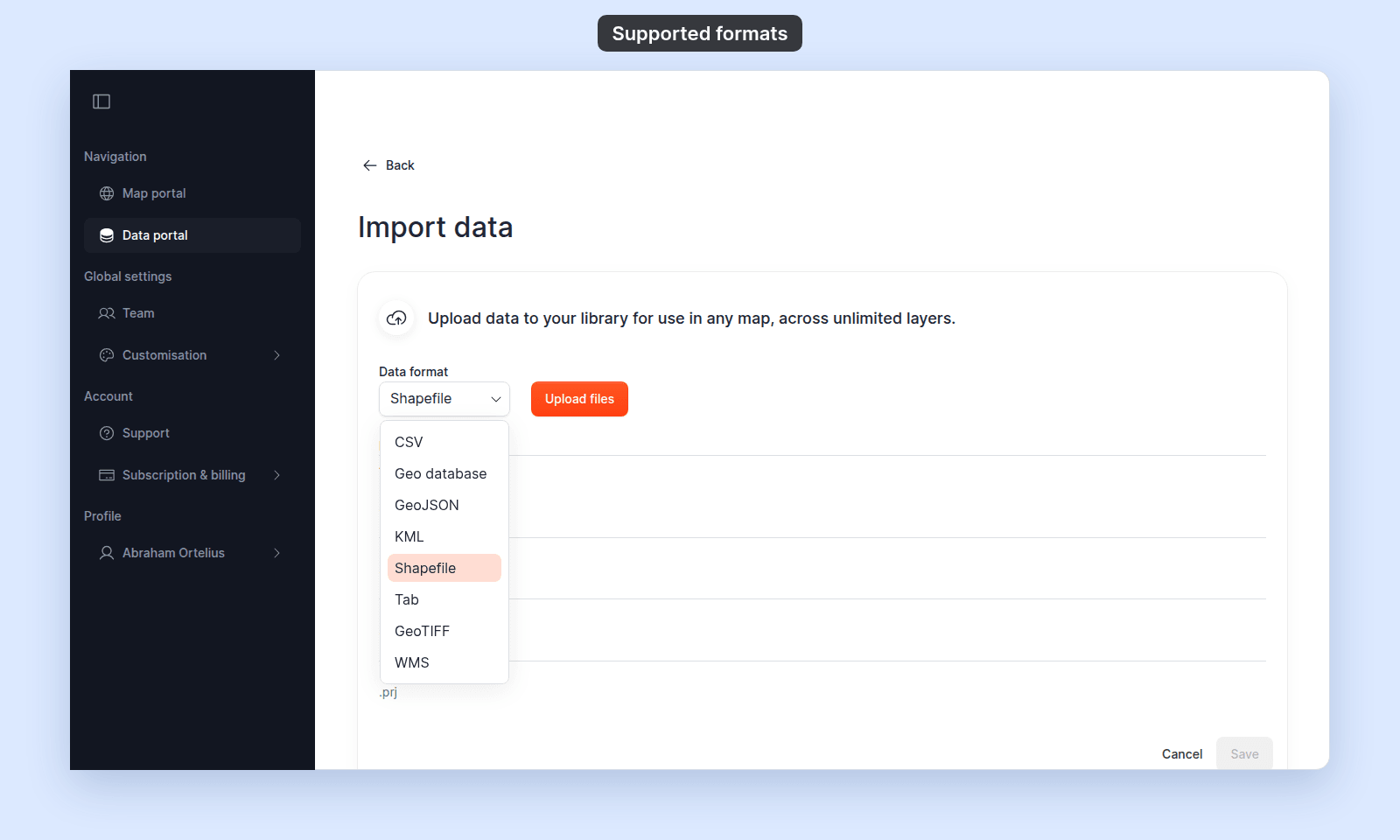
Some files must be zipped, unzipped, renamed, or converted before the Import data page accepts them.
Vector formats
| Format | Required extensions | Upload method | Notes |
|---|---|---|---|
| Shapefile | .shp, .shx, .dbf, .prj |
All four files together (not zipped) | All four files are required. The .prj provides the coordinate system. |
| GeoJSON | .geojson |
Single file | Expected coordinate system is EPSG:4326 (WGS84). |
| KML | .kml |
Single file | KMZ archives are not accepted in the Import data page. |
| MapInfo TAB | .tab, .dat, .id, .map |
All four files together | Dropdown is labelled Tab. |
| Esri File Geodatabase | .gdb.zip |
Single zipped archive | The .gdb directory must be zipped before upload. Dropdown is labelled Geo database. |
Raster formats
| Format | Required extensions | Upload method | Notes |
|---|---|---|---|
| GeoTIFF | .zip |
Single zipped archive | The GeoTIFF must be inside a .zip; loose .tif files are not accepted by the Import data page. |
Tabular formats
| Format | Required extensions | Upload method | Notes |
|---|---|---|---|
| CSV | .csv |
Single file | UTF-8 encoded. Must include a longitude column (Longitude, Lon, Long, Lng, X, or Longtitude) and a latitude column (Latitude, Lat, or Y), case-insensitive. Address geocoding is not performed. |
Live services
| Service | What you provide | Notes |
|---|---|---|
| WMS | An HTTPS GetCapabilities URL | The URL must use https://. After connecting, you select which layers to import. |
File size limit
Each file you add can be 5 GB or smaller, including each shapefile file.
Storage allowance by plan
| Storage included | Add-ons | |
|---|---|---|
Business |
4 GB | Not available — upgrade to Enterprise to add more |
Enterprise |
8 GB | 50 GB add-on increments |
Agency |
16 GB | 50 GB add-on increments |
See current plan allowances and upgrades on MangoMap pricing. Storage is checked when you start an upload. If your account is at the limit, the upload is blocked and a Storage limit reached dialog appears. See Storage limit reached when importing.
Coordinate systems
| What | Behaviour |
|---|---|
| Input coordinate system | Detected automatically from the file. |
| If a vector layer has no detected coordinate system | Processing treats its coordinates as EPSG:4326 (WGS84). The Shapefile form still requires a .prj file before it can be submitted. |
| Unsupported coordinate systems | Processing fails with Unsupported coordinate system <name>. Please reproject your dataset to a common CRS like EPSG:4326 (WGS84) or EPSG:3857 (Web Mercator). See Unsupported coordinate system. |
What’s not supported
These formats are sometimes expected but are not accepted by the Import data page:
- KMZ archives
- GPX
- GeoPackage (
.gpkg) - GML
- Loose GeoTIFFs (
.tif/.tiffoutside a.zip) - Excel (
.xlsx) — convert to CSV first - Address-only CSVs (no geocoding step in this flow)
For more on how data moves from upload to map, see How importing data works in MangoMap.