

How to activate a client trial to paid
Turn a client's trial into a paid subscription. Choose the plan, billing cycle, and add-ons. Your partner account pays, and you need a payment method on file.
Turn a client’s trial into a paid subscription. Choose the plan, billing cycle, and add-ons. Your partner account pays the bill.
Before you start
- You need a payment method on file for your partner account. Without one, activation is blocked with a
Set payment methodaction. - Your partner account must not be suspended.
- The account must be on a trial.
Steps
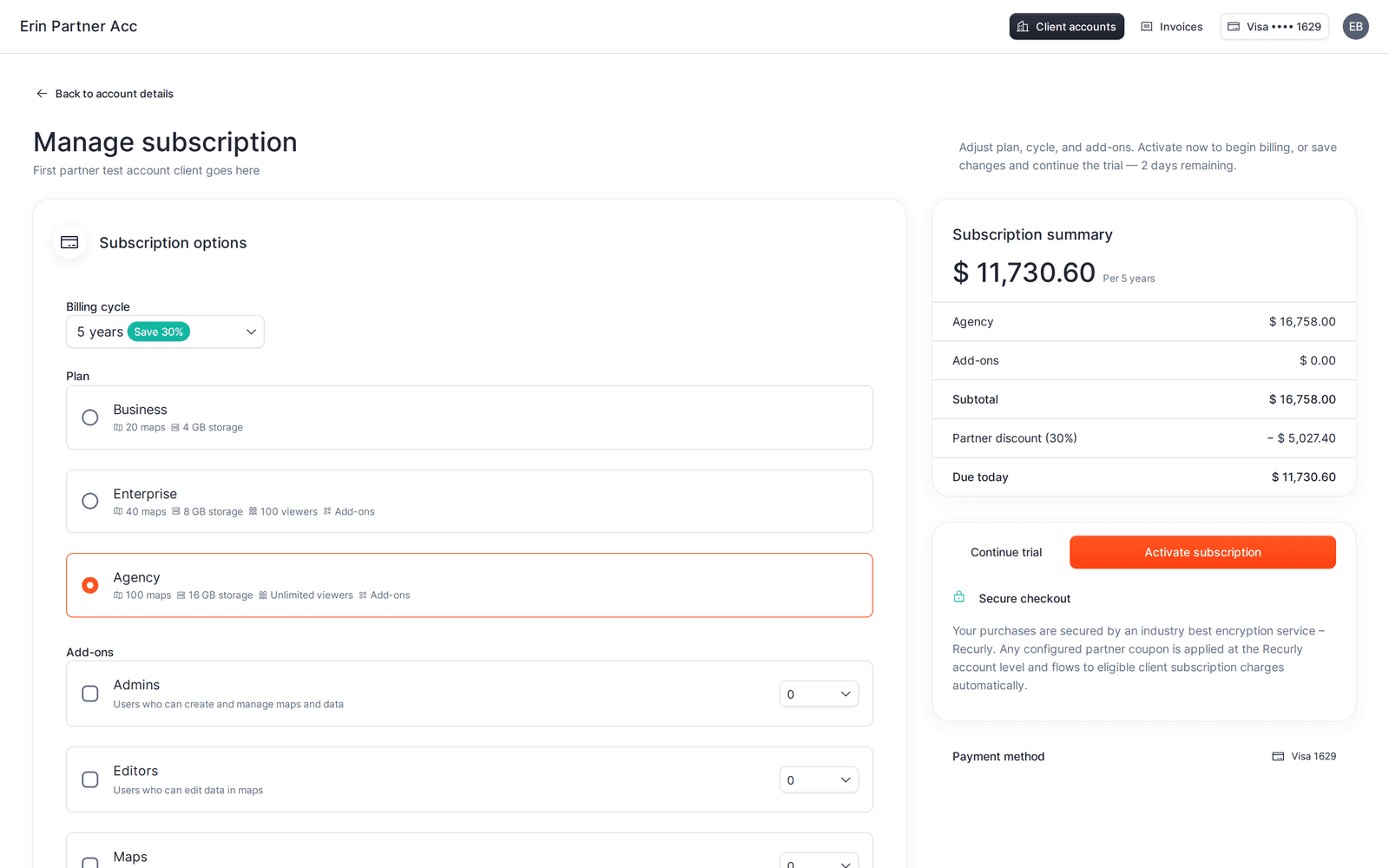
- Open the account, then click
Manage subscription(or chooseManage subscriptionfrom the row menu on theClient accountspage). - In
Subscription options, set:
Billing cycle-Monthly,Annual(Save 20%), or a multi-year cycle (Save 30%).Plan-Business,Enterprise, orAgency. Each option lists its maps, storage, and viewers.Add-ons- onEnterpriseandAgency, add extraAdmins,Editors,Maps, orStorage.Businessdoes not allow add-ons.
- Check the
Subscription summary- it updates live and shows theDue todayamount, with anyPartner discountapplied. - Click
Activate subscription. On success the subscription becomes active and you return to the account details page.
To set up the plan but keep the client on trial, click Continue trial instead - it saves your choices and leaves the trial running until it expires.
If card verification is required
If the card issuer requires extra verification, a 3D Secure Verification dialog appears. Complete it and the activation finishes automatically. If verification fails or the charge is declined, see a client payment or card verification failed.
What your client sees
Nothing changes for the client owner’s access. They are never shown a payment screen - you hold billing. If they are already active, they keep working in the account as before, now on the paid plan’s limits.