

How to delete a client account
Permanently delete a client account and all its data from your portfolio. The account must be closed or its trial expired. You cannot undo this.
Permanently remove a client account and all its data from your portfolio. This cannot be undone.
Before you start
- The account must be closed or its trial expired. The
Delete accountaction only appears once the account is in one of those states. To get there, cancel the subscription or end the trial early. - If you only want to stop billing, cancel the subscription instead. A closed account keeps its data and can be reactivated.
Steps
- On the
Client accountspage, open the row action menu (⋯) for the account. - Click
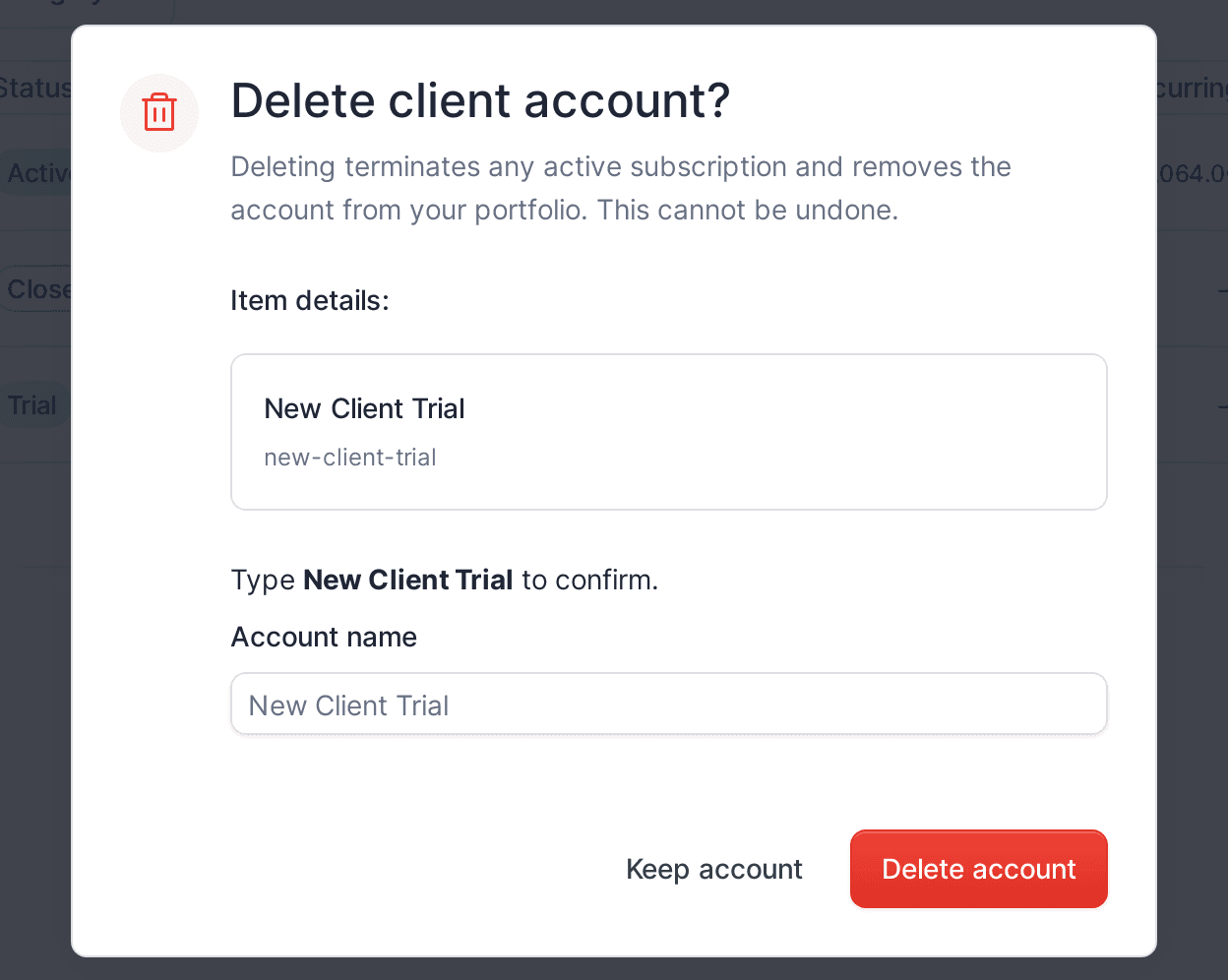
Delete account. - In the
Delete client account?dialog, type the account’s company name to confirm. - Click
Delete account. To back out, clickKeep account.
The account, its subscription, and all its data are removed from your portfolio.
What your client sees
The account and all its data are deleted. If the client owner had access, they can no longer sign in. You cannot restore the account.