

How to cancel a client subscription
Cancel a paid client subscription from the Client accounts page. Billing ends and the account closes, but stays in your portfolio until you delete it.
Cancel a paid client subscription. Cancellation ends billing and closes the account, but keeps it in your portfolio for later reactivation or deletion.
Before you start
- The account must be on a paid (active) subscription.
- Your partner account must not be suspended.
Steps
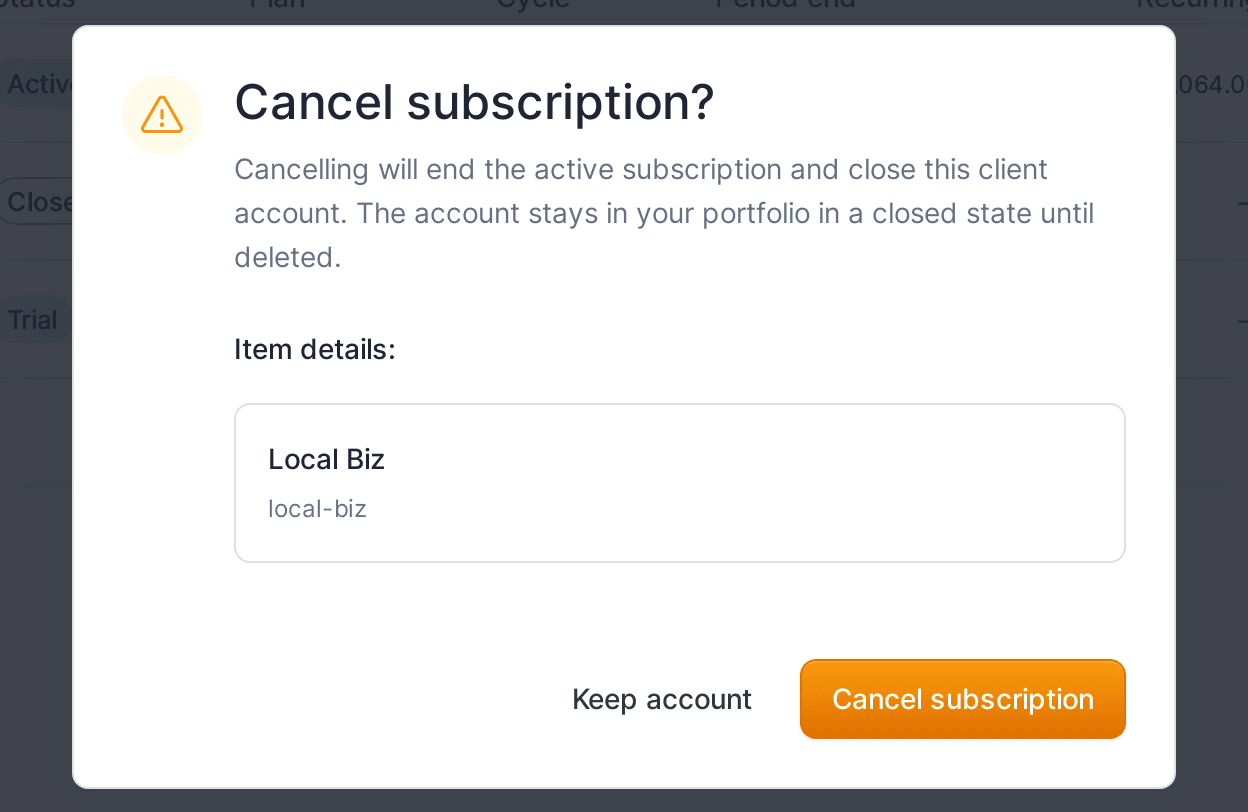
- On the
Client accountspage, open the row action menu (⋯) for the account. - Click
Cancel subscription. - Confirm in the
Cancel subscription?dialog by clickingCancel subscription. To back out, clickKeep account.
The active subscription ends and the account moves to a Closed state. It stays in your portfolio with its maps and data until you delete it.
After cancelling
- To bill the account again, open it and activate a subscription, or start a fresh trial from the row menu (
Start a trial). - To remove it permanently, see how to delete a client account.
What your client sees
The account is closed, so the client owner can no longer work in it. Closing does not delete their data; reactivating restores access.