

How to manage a client trial
End a client trial early, restart a trial on a closed account, or save plan choices while the trial keeps running, all from the Client accounts page.
Each new client account starts with a 30-day Enterprise trial. From the portal, you can end it, restart an expired trial, or save plan changes while it runs.
Before you start
- Your partner account must not be suspended; trial actions are disabled when it is.
End a trial early
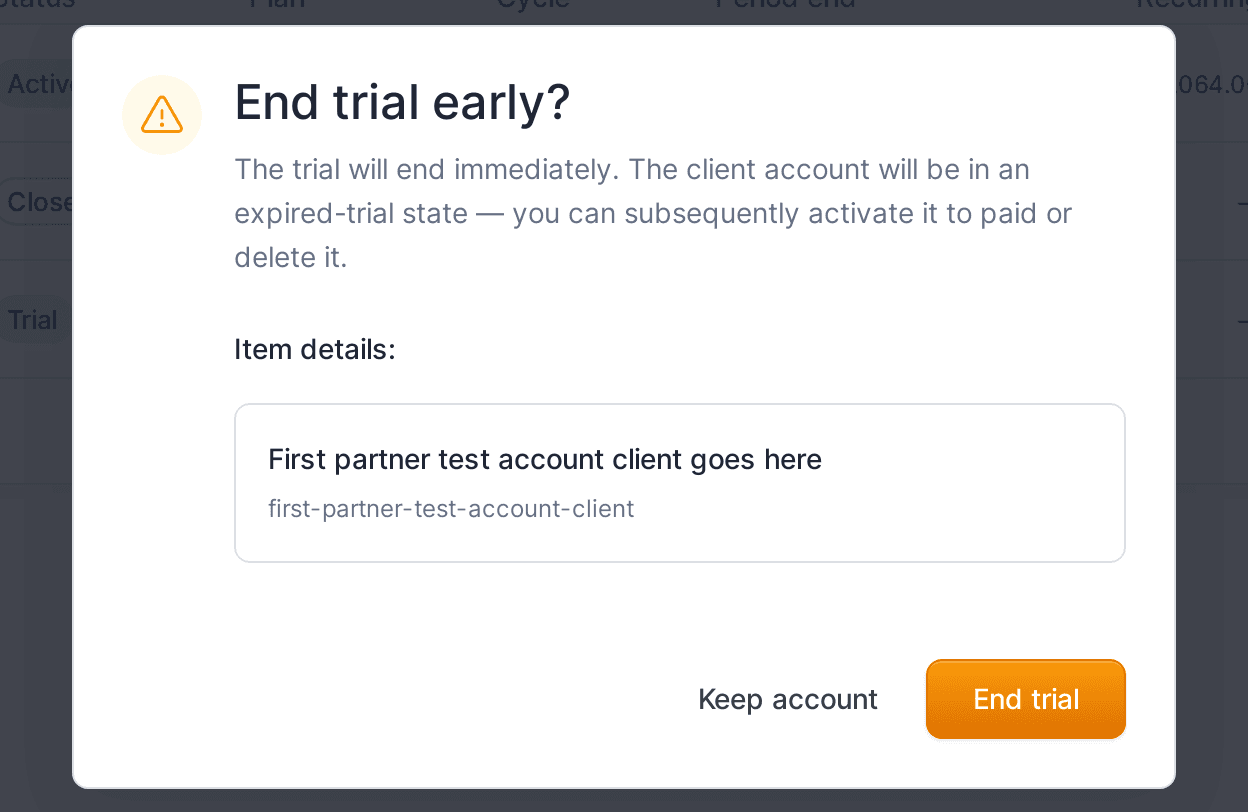
End a trial early when you need to close the account or delete it.
- On the
Client accountspage, open the row action menu (⋯) for the account. - Click
Terminate trial. - Confirm in the
End trial early?dialog by clickingEnd trial.
The trial ends immediately and the account moves to an expired-trial state. From there you can activate it to paid or delete it.
Restart a trial
Use this to give a closed account a fresh trial.
- On the
Client accountspage, open the row action menu for aClosedaccount. - Click
Start a trial.
A new 30-day trial begins.
Keep the trial running while choosing a plan
If you want to pre-configure the subscription but not start billing yet:
- Open the account and click
Manage subscription. - Set the
Plan,Billing cycle, andAdd-onsyou intend to use. - Click
Continue trial. Your choices are saved and the trial keeps running until it expires.
To start billing instead, click Activate subscription - see how to activate a client trial to paid.
What your client sees
The client owner keeps whatever access they have. Ending or restarting a trial does not email them.