

Map access settings
Look up every map access setting on the Configuration > Access page: Current access summary, Share with team, and Publish to web, and what each switch does.
Map access settings control whether a map is limited to signed-in users, shared with specific groups, or published for people outside your workspace. Use this reference to check each setting before you share a map.
Where these settings are
| Page | Configuration (in the sidebar, under the map’s name) |
| Section | Access |
| Main areas | Current access summary, Share with team, Publish to web |
| Required permission | You need permission to share the map. Share access follows edit access. |
Only people who can share the map can open Configuration. Others do not see it in the sidebar. See Access settings are disabled.
Current access summary
| Summary area | What it shows |
|---|---|
Team access |
Which groups can view or edit the map. |
Web access |
Whether web access is enabled, which publishing mode is active, and whether the map is discoverable. |
Discoverability |
Whether a public map is shown in the public portal or indexable by search engines. |
When Public publishing is active, team view access shows as All groups (inherited from web publishing).
Share with team
| Setting | Type | Effect |
|---|---|---|
View |
Switch per group | Members of that group can view the map after signing in. |
Edit |
Switch per group | Members of that group can edit the map if their account role also allows editing. Edit also counts as view access. |
Manage Groups |
Button | Opens team group management. |
Create a Group |
Button | Appears when there are no groups and you can manage access. |
Group access applies to signed-in users. It does not create a public link.
Publish to web
| Setting | Type | Default in settings | Effect |
|---|---|---|---|
Allow public access |
Switch | Off for private maps | Enables web access controls. When off, only signed-in users with permission can access the map. |
Publishing mode |
Option group | Public |
Controls how people outside the workspace access the map. |
Public link |
Read-only URL | — | Link used by Public and Password modes. |
Private link |
Read-only URL | Generated when Link-only is selected |
Link used by Link-only mode. |
Password |
Text field | Generated when Password is selected if no password exists |
Password required for Password mode. Manual passwords must be at least 6 characters. |
Turning Allow public access off also disables Show in public portal and Allow search engine indexing.
Publishing modes
| Mode | Who can view | Listed in public portal | Search engine indexing | Link used |
|---|---|---|---|---|
Public |
Anyone with the public link. Signed-in users can also view when they have permission. | Controlled by Show in public portal. |
Controlled by Allow search engine indexing. |
Public link |
Link-only |
Anyone with the private link. | No. | No. | Private link |
Password |
Anyone with the public link and password. | No. | No. | Public link plus Password |
Link-only and Password turn off portal visibility and search engine indexing when selected.
Public portal visibility
| Setting | Available when | Effect |
|---|---|---|
Show in public portal |
Allow public access is on and Publishing mode is Public |
Lists the map in the public map directory. |
Allow search engine indexing |
Allow public access is on and Publishing mode is Public |
Lets search engines such as Google index the map. |
Only maps in Public mode with Show in public portal enabled appear in the public map listing.
Private link behavior
| Action | Effect |
|---|---|
| Copy private link | Copies the current Private link to the clipboard. |
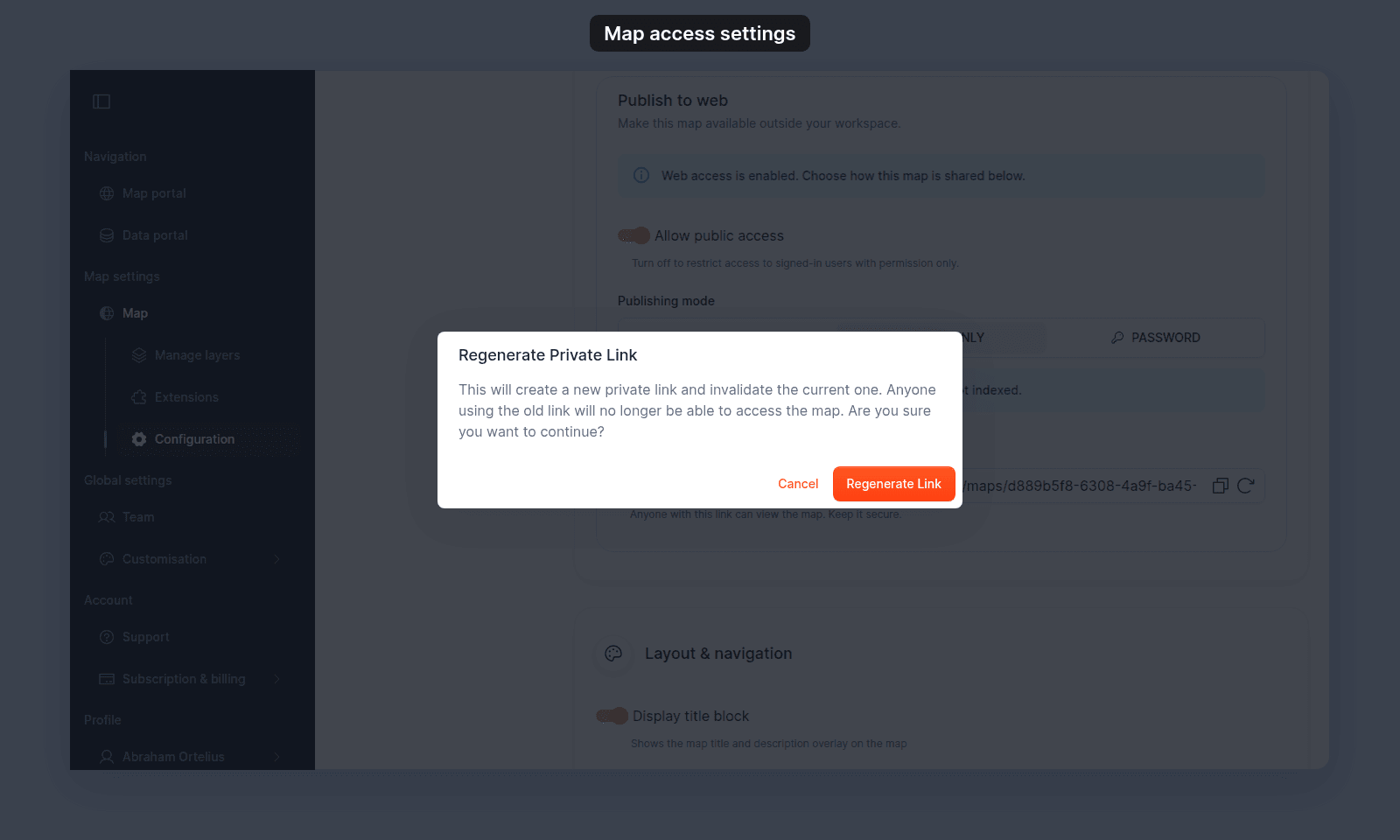
Regenerate link |
Opens the Regenerate Private Link confirmation dialog. |
Regenerate Link |
Creates a new private link and invalidates the current one. Anyone using the old link can no longer access the map. |
Password behavior
| Setting or state | Effect |
|---|---|
Password mode selected |
Viewers need the public link and password. |
| Password field is empty or too short | Settings show Password must be at least 6 characters when a short manual password is entered. |
| Viewer enters the wrong password | MangoMap returns Invalid map password. |
| Viewer enters the correct password | The map opens and the password is stored for that browser session. |
Related
- How to configure map access
- How map access works in MangoMap
- Choose how to share a map
- Legacy map access modes and current settings
- How to publish a map to the web
- Account roles reference - the canonical “who can do what” matrix for creating, editing, sharing, and deleting maps.