

How to delete a map
Delete a map from the Maps portal with the card menu. Layers, styles, and published links are removed, but datasets stay. You cannot undo it.
Deleting a map removes its configuration, including layers, styles, popups, extensions, access settings, and published links. The underlying datasets are not affected; they remain in your Data portal and any other maps that use them keep working. Deletion is permanent. You cannot recover the map or undo the action.
Before you start
- You need the
Delete mappermission. This is available to the map’s creator and to the account Owner. Admin, Editor, and Viewer roles cannot delete maps they did not create. See Account roles reference. - Any links published to the map will stop working. If the map is
Public, embedded in a website, or shared via aLink-onlyURL, those URLs will return an error after deletion. - Confirm that deletion is what you want. Alternatives:
- To hide a map from the portal without deleting it, turn off
Show in public portalin the map’s access settings. See Map access. - To make a public map private, change
Publishing modein the map’s access settings.
- To hide a map from the portal without deleting it, turn off
If you cannot delete a map, the … menu doesn’t appear on its card.
Open the map card menu
Find the map you want to delete. Hover over its card (or its row in list view) and click the … button in the top-right corner of the thumbnail.
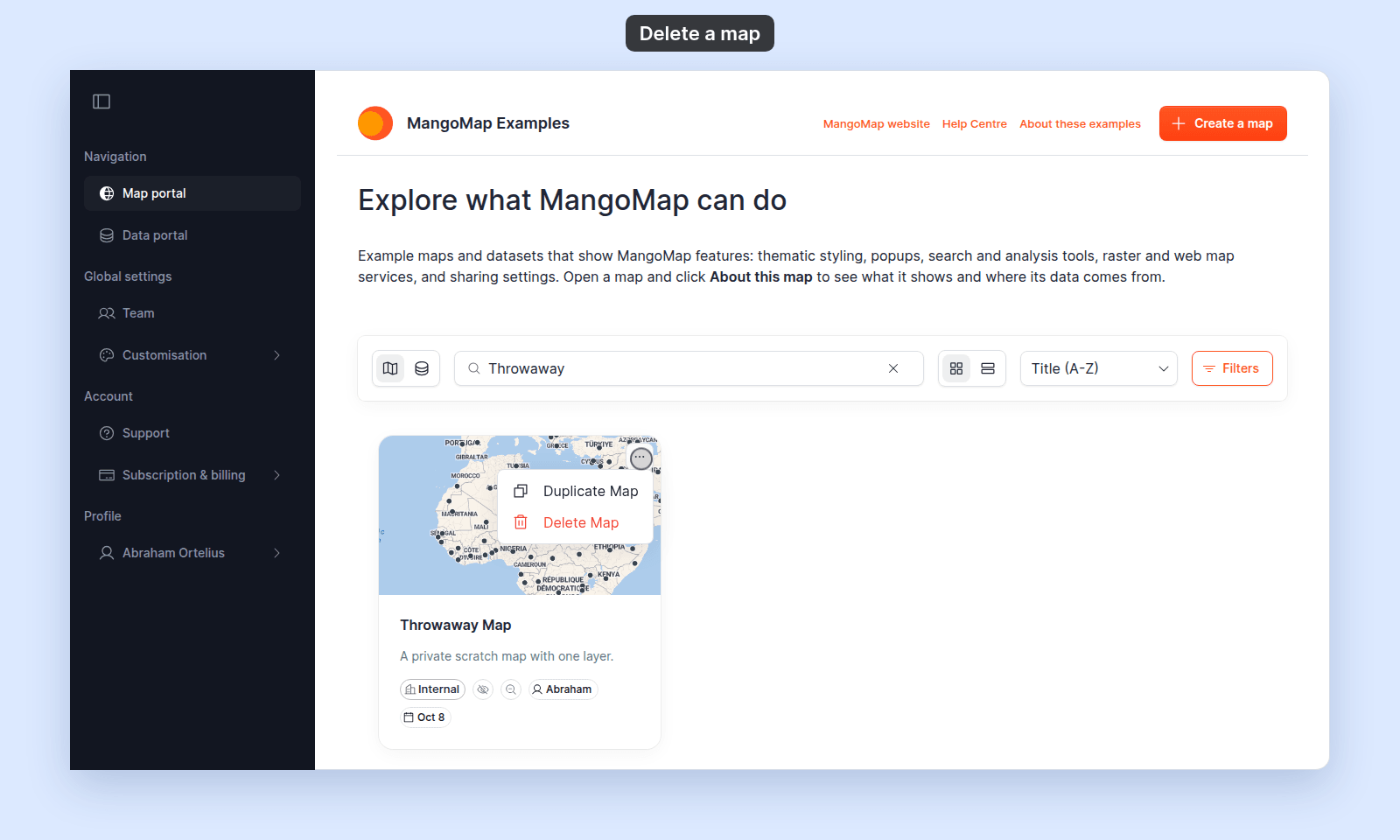
The menu opens. Delete Map is the second item, in red, with a trash icon.
Click Delete Map
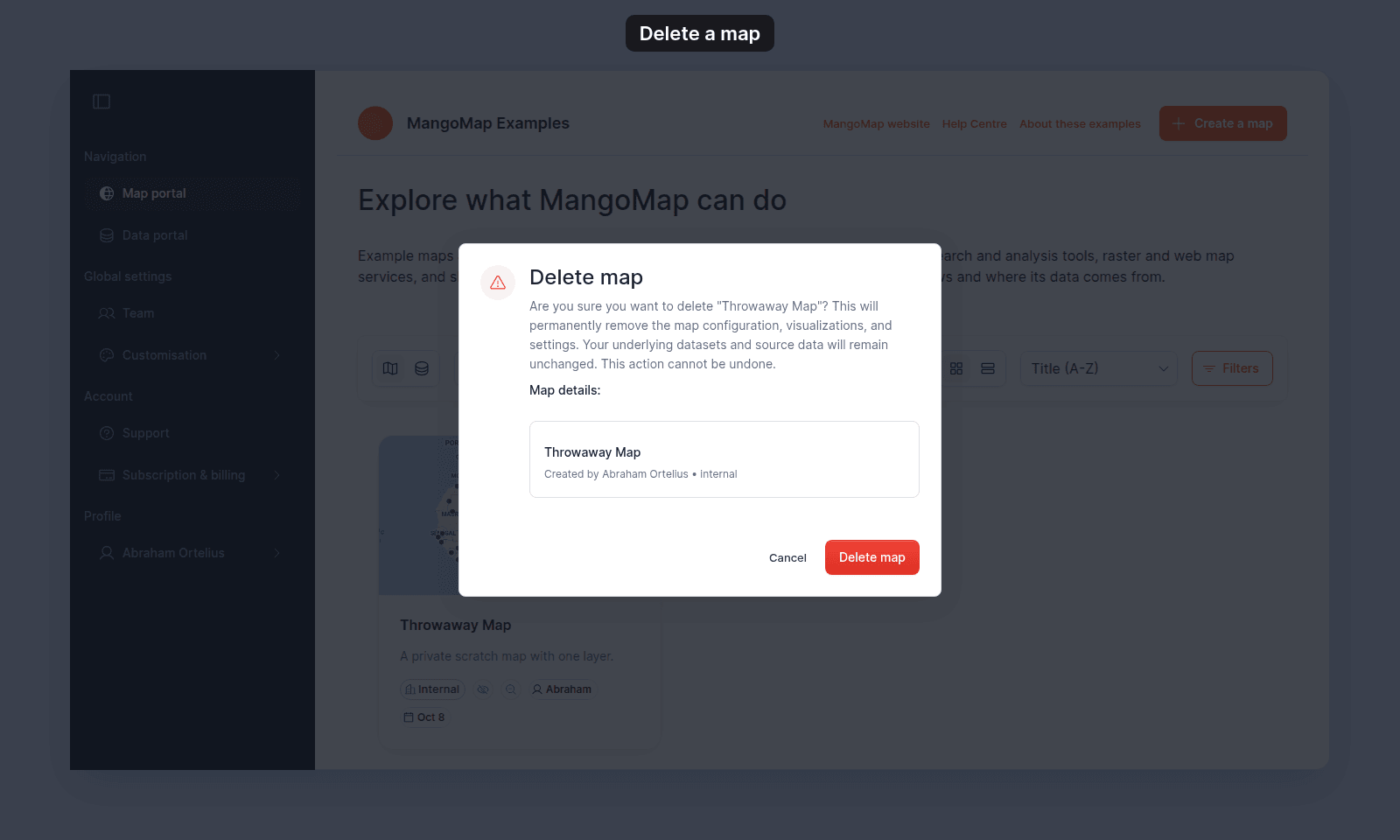
The portal opens a Delete map confirmation dialog showing:
- A heading —
Delete map. - A body paragraph confirming that the map configuration will be permanently removed, that the underlying datasets are unaffected, and that the action cannot be undone.
- A
Map details:summary with the map’s title, creator, and access mode. - Two buttons —
CancelandDelete map(red).
Click Delete map to confirm. The portal removes the map and the card disappears from the list.
Click Cancel, press Escape, or click outside the dialog to abandon the action.
What’s deleted, and what isn’t
| Removed permanently | Unaffected |
|---|---|
| The map’s configuration and settings | The datasets the map’s layers pointed to |
| Layer order, grouping, styles, popups | The dataset’s records, schema, and access settings |
| Map extensions and their per-map settings | Other maps in the account, including duplicates |
| Per-map navigation menus and layout | Account-wide customisation (branding, custom domain) |
| Public, link-only, or password URLs |
If a layer used a dataset, that dataset survives. To remove the dataset too, delete it from the Data portal.
Related
- Maps portal reference — the full set of map card controls.
- How to duplicate a map — the parallel action on the same menu.
- How map access works in MangoMap — alternative to deletion: hide from portal, change mode.
- How to delete a dataset — the parallel destructive action on the Data page.
- Account roles reference — who can delete.