

How to manage your subscription
Change your plan, billing cycle, or add-ons in Manage subscription. MangoMap shows the charge or credit before you submit. Only the owner can do this.
Change the plan, billing cycle, or add-ons in Manage subscription. MangoMap shows the charge or credit before you submit; only the account owner can make the change.
Before you start
- You need to be the account owner, and the account must not be partner-managed.
- Decide whether you are changing the plan, cycle, add-ons, or more than one of them.
- Check current usage before reducing limits.
- If the account is a trial or has expired, use How to upgrade from trial to paid instead.
Open Manage subscription
Open Account > Subscription & billing > Manage subscription, or click Manage subscription on Subscription summary. The form opens with your current plan, billing cycle, and add-ons selected.
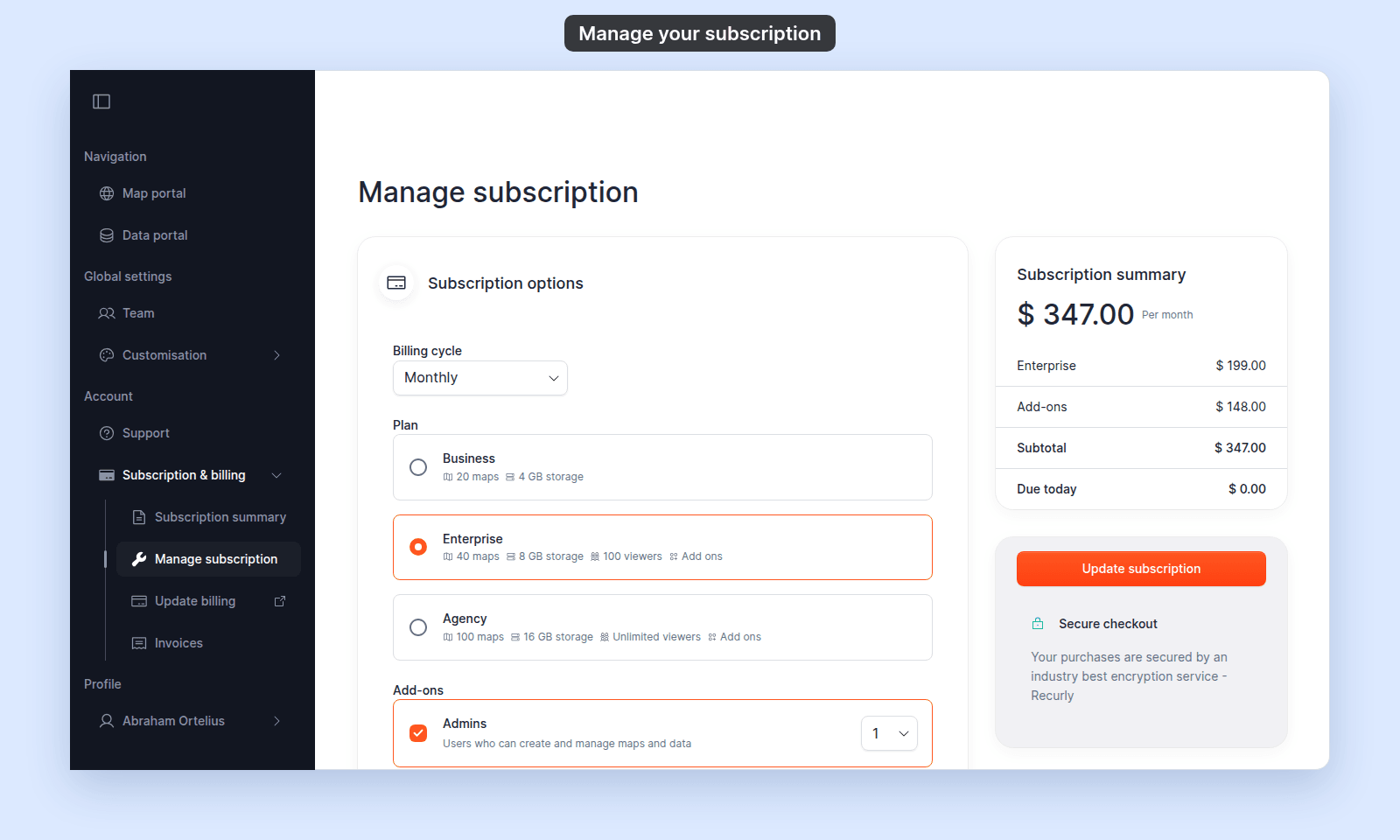
Change the billing cycle
In Subscription options, open Billing cycle and choose a cycle. Annual saves 20%, and each multi-year cycle saves 30%.
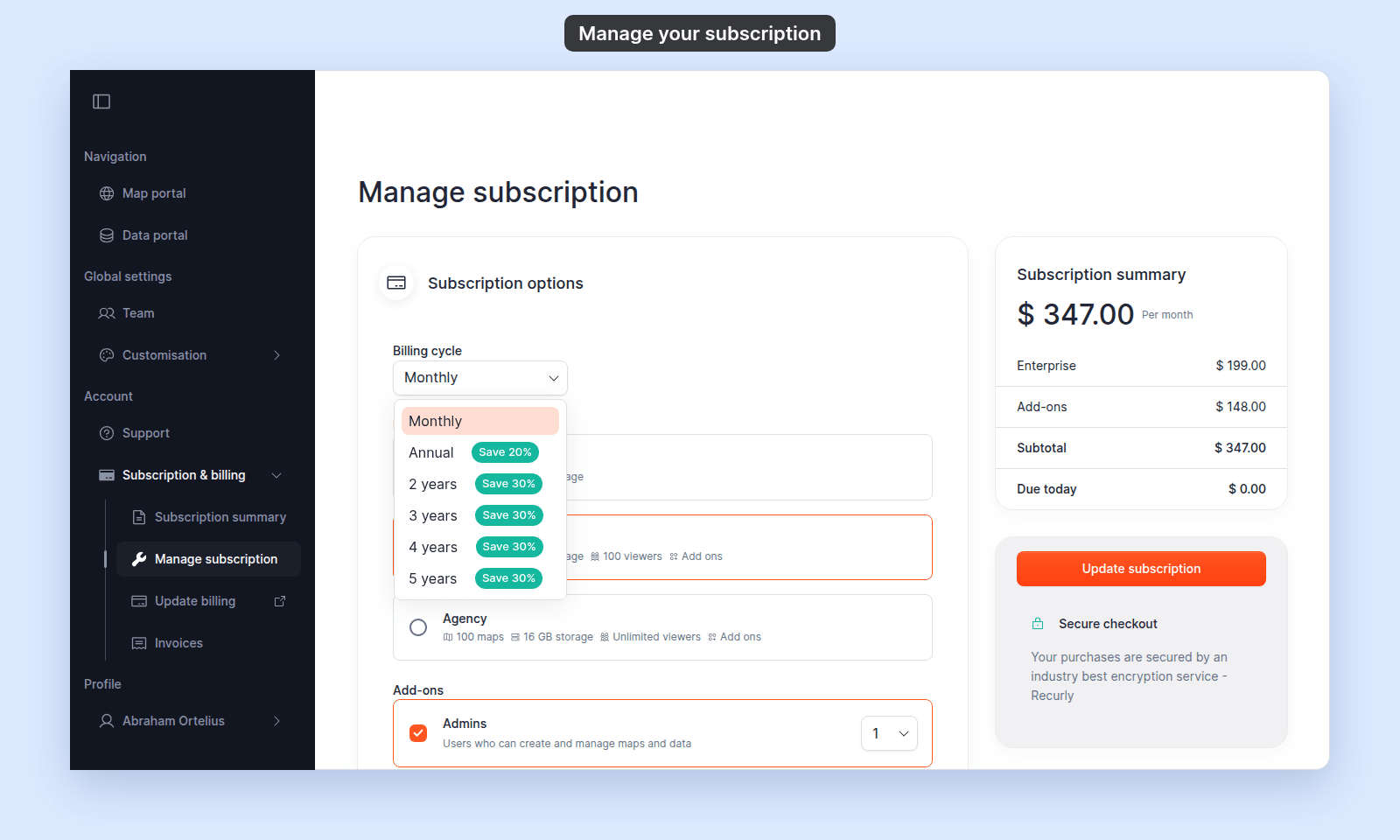
The Subscription summary card updates as you change the cycle.
Change the plan
In Subscription options > Plan, choose Business, Enterprise, or Agency. Each option lists what the plan includes. Business does not support add-ons.
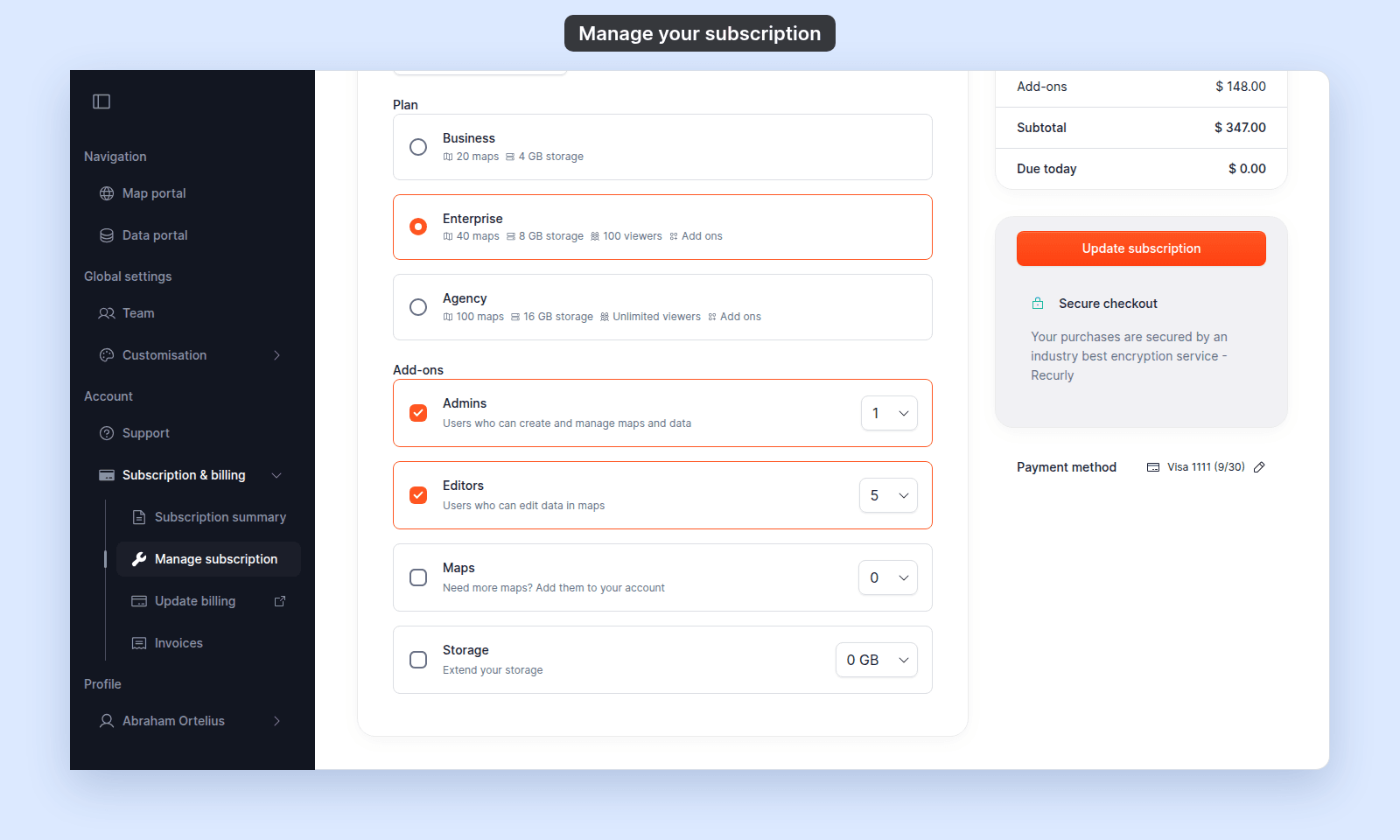
Changing the plan clears all add-ons, so choose the plan first and then set the add-ons again. Check your usage before submitting a downgrade.
Change add-ons
For Enterprise and Agency:
- Tick
Admins,Editors,Maps, orStorage. Ticking one sets its smallest quantity above 0. - Choose a quantity from the add-on’s list.
- Untick the add-on if you want to remove it.
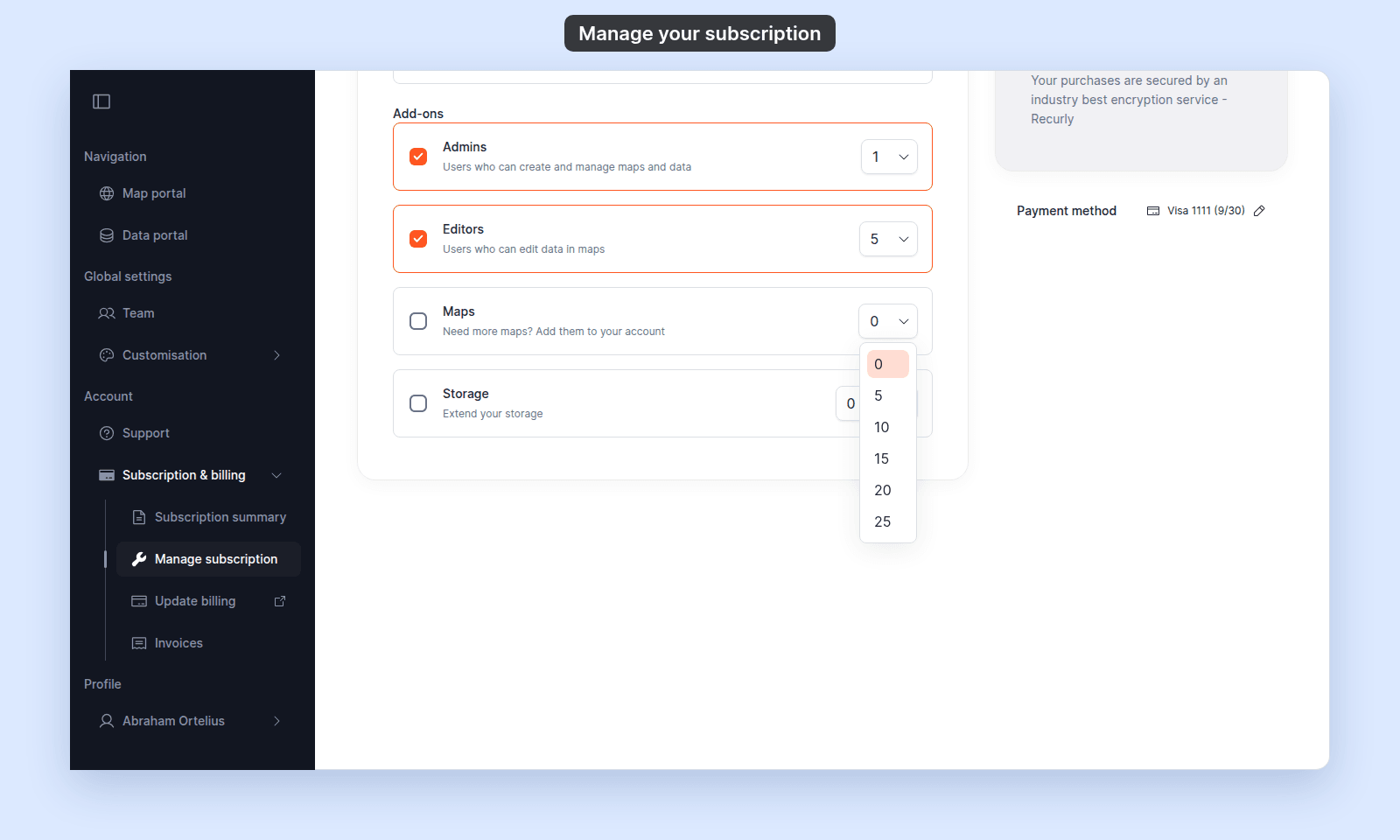
| Add-on | Choices |
|---|---|
Admins |
0, 1, 2, 3, 4, or 5 |
Editors |
0, 5, 10, 15, 20, or 25 |
Maps |
0, 5, 10, 15, 20, or 25 |
Storage |
0, 50, 100, 150, 200, or 250 GB |
MangoMap blocks a change that would put current maps, storage, administrators, or editors above the new limit. Remove or downgrade users, maps, or data first, then try again.
Review the price
Before you save, check the Subscription summary card. It updates after each change. Due today is what MangoMap charges now. When a downgrade refunds unused time, the card also shows Credit to account.
In this example, the billing cycle changed from Monthly to Annual:
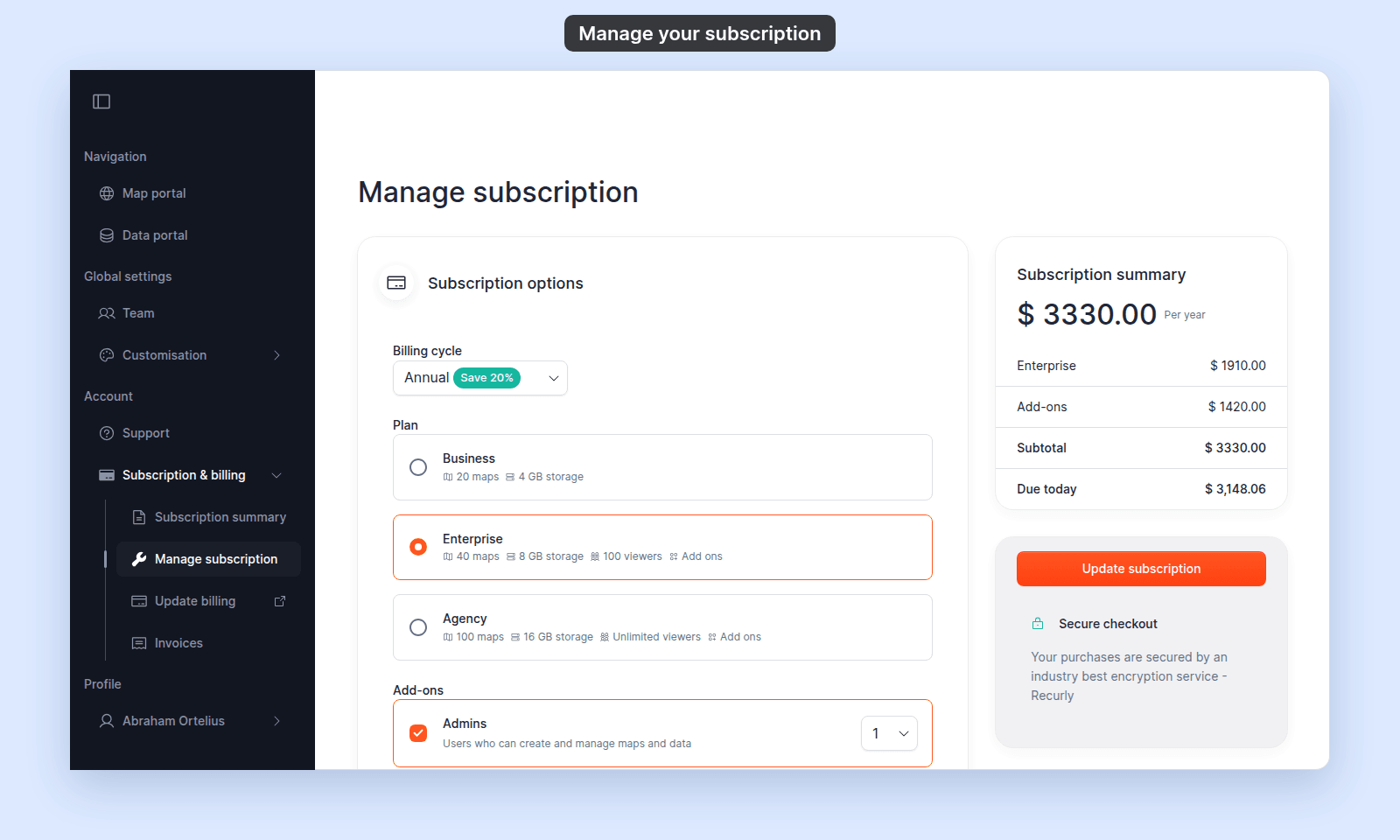
On a paid account, an increase charges a prorated amount for the current cycle. A decrease can create account credit for a future renewal.
Save the change
- On a paid account, click
Update subscription. - On an active trial, click
Continue trialto leave the subscription unchanged, or useCheckout with Recurlyto convert it to paid. - On an expired trial or closed account, use
Checkout with Recurlyto restore access.
After Update subscription succeeds, MangoMap returns to Subscription summary, which shows the new plan. The new limits apply straight away, so you don’t need to reload the page. If your bank asks you to confirm the payment, complete the 3D Secure Verification dialog first.
If the payment method is rejected, update it through Update billing and try again. See A payment failed or an invoice is past due.
Related
- Subscription & billing reference
- How to upgrade from trial to paid
- How to view and pay invoices
- How to cancel your subscription
- How to invite a user — if you need to reduce current seat usage.