

How to view and pay invoices
Review invoices on the Invoices page, pay past due or pending invoices in Recurly, and open invoice PDFs. Only the account owner can open this page.
Review invoices on the Invoices page, pay Past due or pending invoices in Recurly, and open invoice PDFs in a new tab. Only the account owner can open this page.
Before you start
- You need to be the account owner, and the account must not be partner-managed.
- If the card on file needs updating, use
Update billingbefore retrying payment.
Open the Invoices page
Open Account > Subscription & billing > Invoices. The Invoice history table lists one row for each invoice.
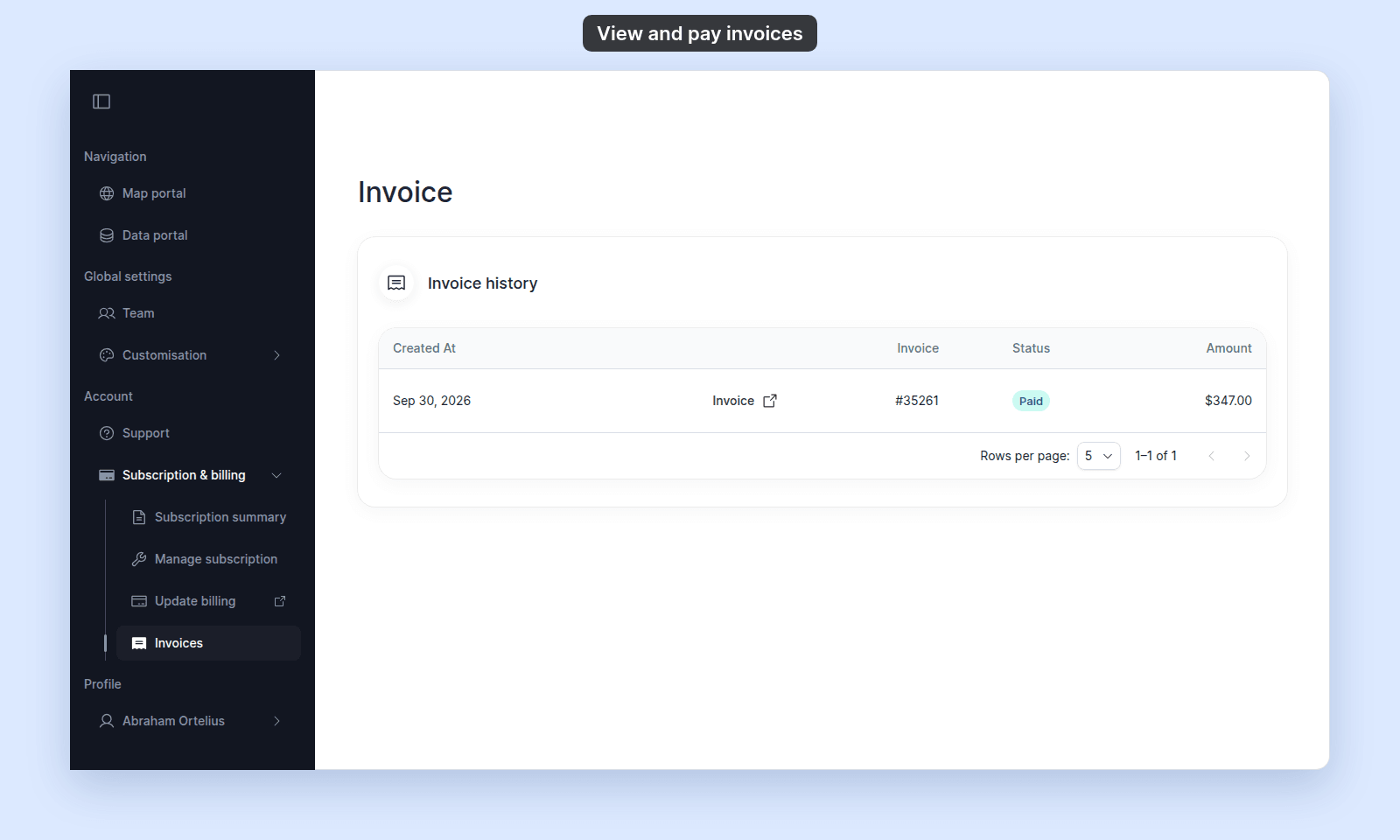
Use Rows per page to show 5, 10, or 20 invoices.
Pay an open or past-due invoice
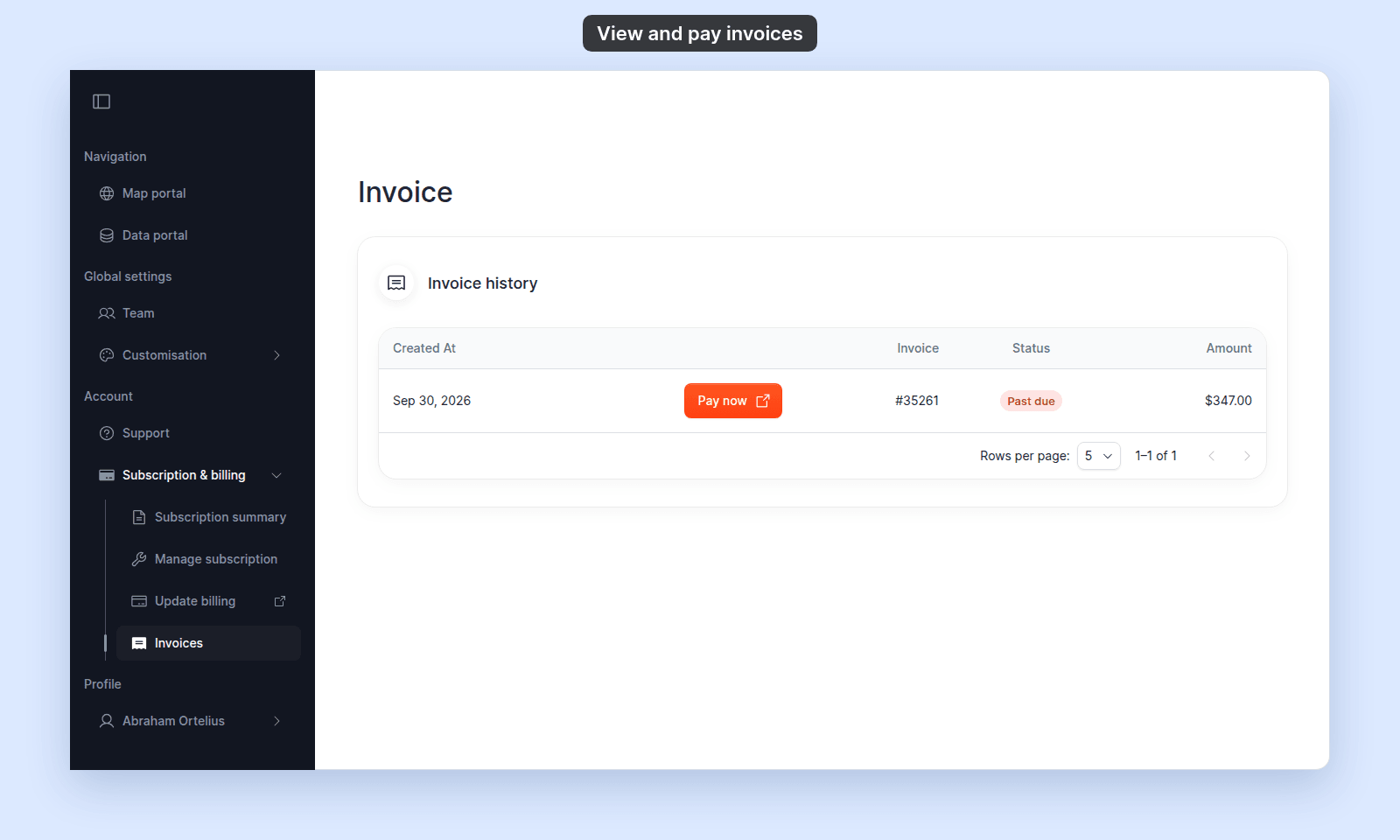
Rows with Past due or pending status show Pay now:
- Click
Pay nowon the invoice row. - Complete payment in the Recurly page that opens in a new tab.
- Return to MangoMap and refresh the invoice list if the status has not updated.
If payment fails again, see A payment failed or an invoice is past due.
Open an invoice PDF
Rows that do not need a payment action show Invoice:
- Click
Invoice. - Use the invoice page that opens in a new tab to view or download the PDF.
The invoice page is hosted by Recurly.
Read the status chips
| Status | Meaning | Action |
|---|---|---|
Paid |
The invoice is paid. | Open Invoice to view the PDF. |
Past due |
Payment is overdue. | Use Pay now. |
pending |
The invoice is awaiting payment. | Use Pay now. |
open |
The invoice is open but not past due. | Open Invoice. |
processing |
A payment is being processed. | Wait for the status to update. |
closed |
The invoice is closed. | Open Invoice. |
failed |
A payment attempt failed. | Open Invoice or contact support if it remains unresolved. |
voided |
The invoice was voided. | Open Invoice for the record. |
If the table is empty
A trial account can have no invoices until checkout is completed. If a paid account has no expected invoice, refresh the page and contact support with the account name.
If a charge looks wrong
Open the matching invoice with Invoice and review its line items in Recurly. If the charge still does not match the subscription change, contact support with the invoice number.
Troubleshooting
Pay now opens an empty page. Return to Invoices and click Pay now again.
The status does not update after payment. Refresh after a short delay. If it is still incorrect, contact support with the invoice number.