

How to cancel your subscription
Cancel a paid MangoMap subscription as the account owner. Cancellation closes the account and removes team access straight away, so export your data first.
Cancel a paid MangoMap subscription from the Cancel subscription form. Cancellation closes the account and revokes team access, so export needed data first.
Before you start
- You need to be the account owner, and the account must not be partner-managed.
- Trial accounts do not have a cancellation form. They expire unless the owner upgrades.
- Cancellation takes effect immediately. The form asks you to acknowledge access revocation and permanent data deletion before it can be submitted.
- If you only need a cheaper plan or fewer seats, use Manage subscription instead.
Export anything you want to keep
Before cancelling:
- Export datasets from the data library.
- Record any map settings you need to keep; MangoMap has no general map export.
- Open
Invoicesand download any invoice PDFs needed for accounting.
Open the cancel form
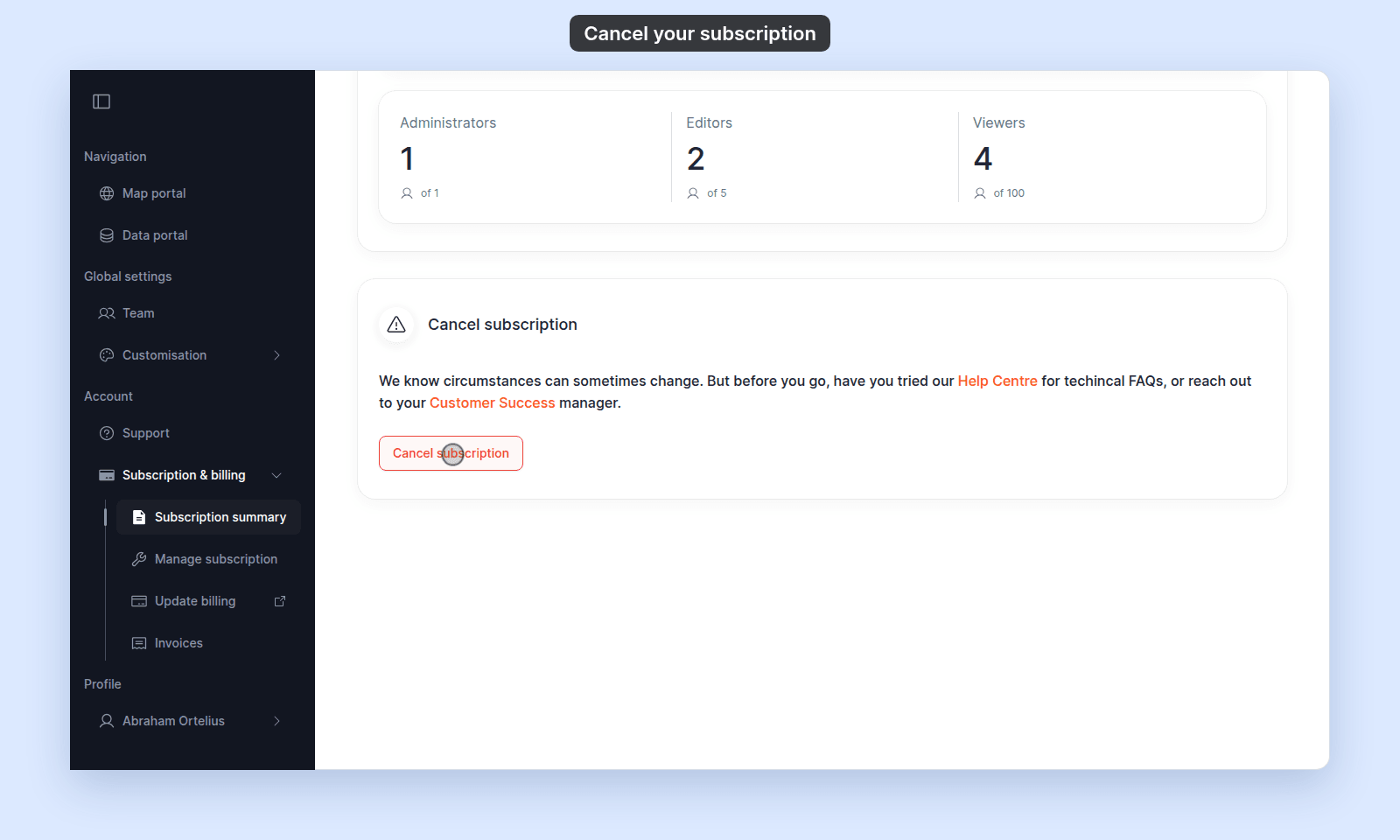
From Subscription summary, scroll to the Cancel subscription card at the bottom of the page and click Cancel subscription. If you want help before you cancel, use the card’s Help Centre or Customer Success link.
Choose a reason
In Cancellation details, open Why are you cancelling? and select a reason. The reason is required.
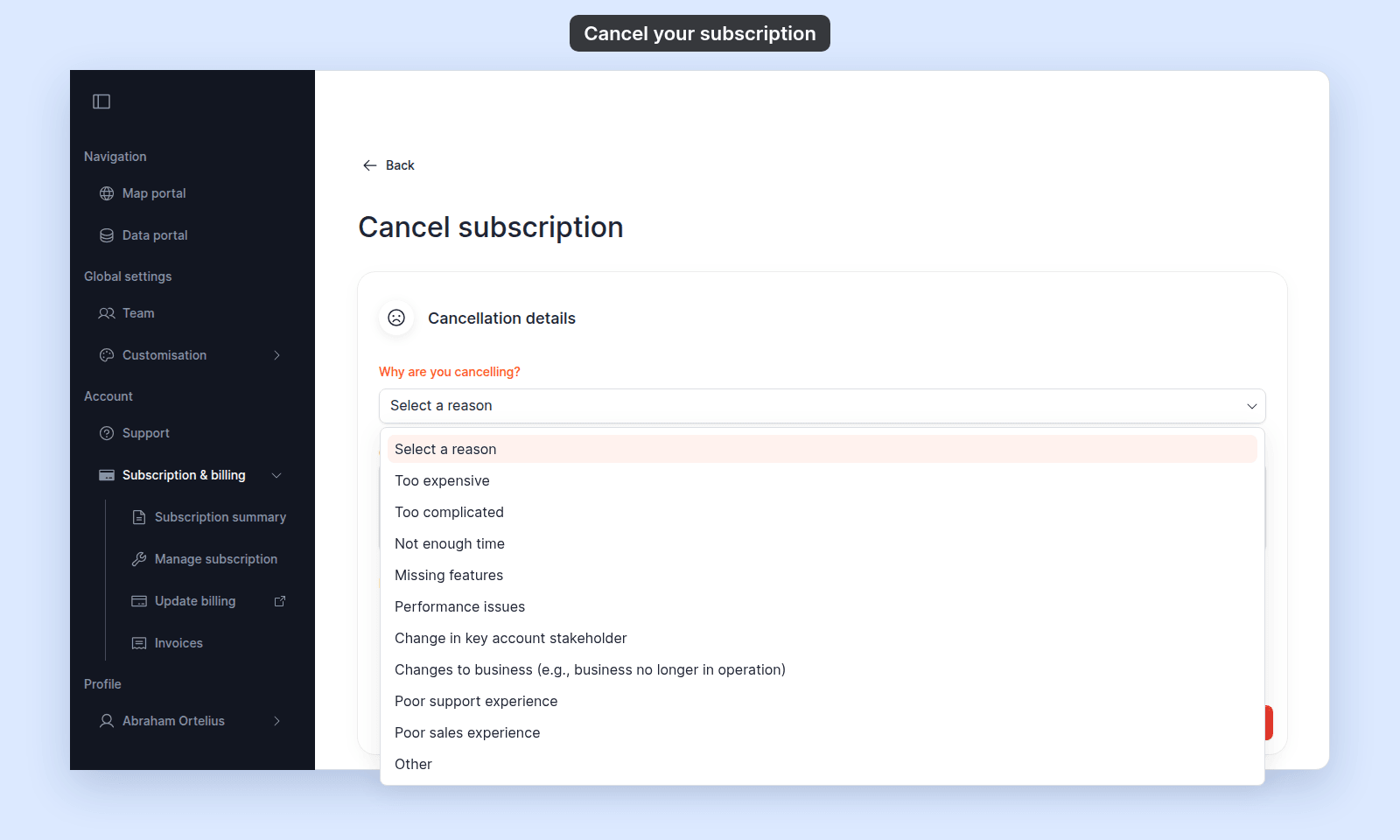
You can add a comment for the MangoMap team in Comments (optional).
Acknowledge the consequences
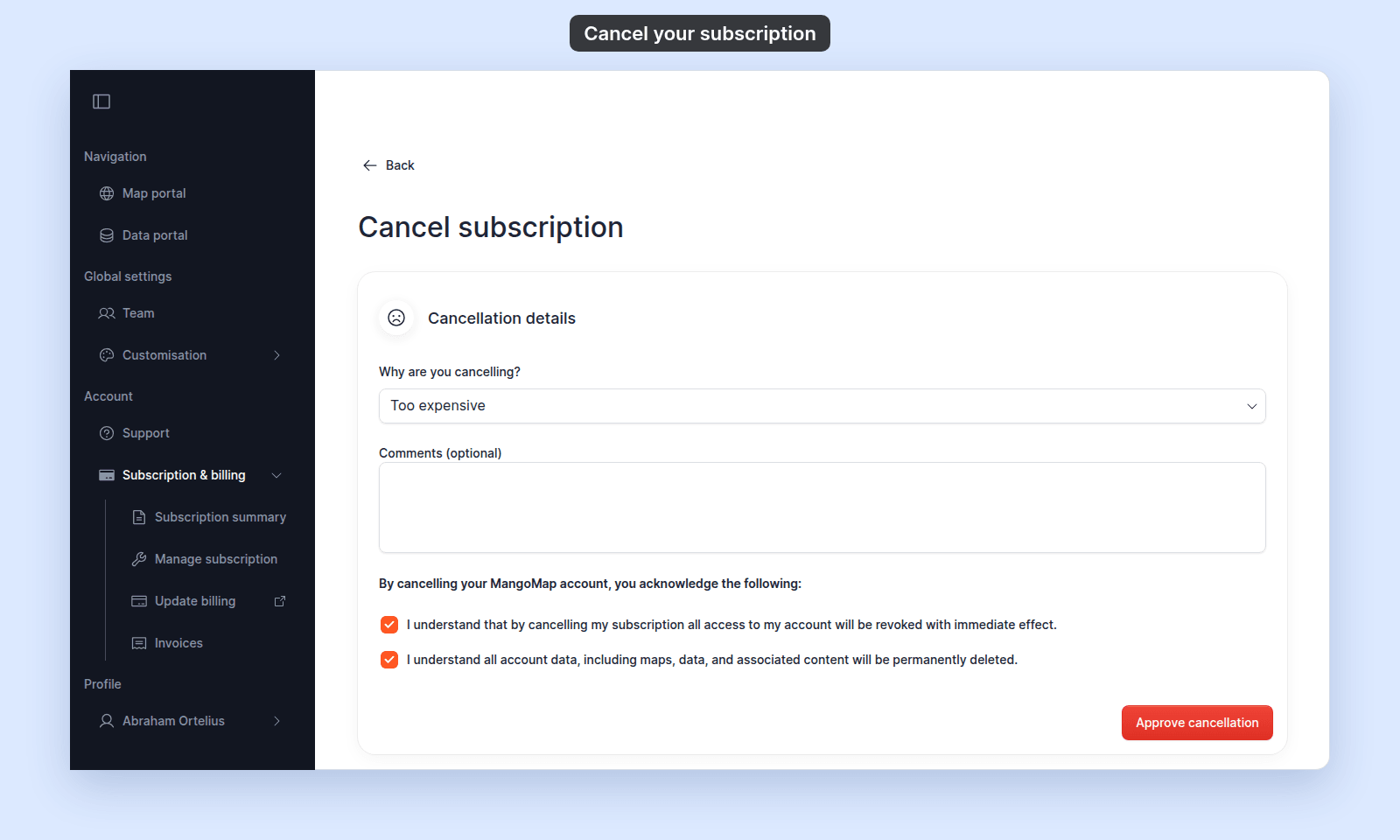
Tick both checkboxes. They confirm that account access is revoked immediately and that all account data is permanently deleted. The form does not submit until a reason is selected and both boxes are ticked.
Submit
Click Approve cancellation.
MangoMap closes the subscription, signs users out, and returns you to the MangoMap home page. The product has no undo button.
If you need to return later
The owner can open Manage subscription for the closed account and start checkout again. See The trial expired or account is closed.
Related
- Subscription & billing reference
- How to manage your subscription — downgrade instead of cancel.
- How to view and pay invoices — download invoices before cancelling.
- How to get help or send feedback