

The Analytics page shows an upgrade prompt
An upgrade prompt opens over the Analytics page when your plan lacks Google Analytics. Upgrade to use the page; Not now takes you to the Map portal.
You opened Customisation > Analytics and an upgrade prompt opened over the GA4 Measurement ID form. Only the Analytics page uses this subscription gate. The prompt means your subscription lacks the Google Analytics integration.
Most likely cause: your subscription does not include the Google Analytics integration
The Analytics page requires the Google Analytics integration on your subscription. When your plan includes it, the page shows the form:
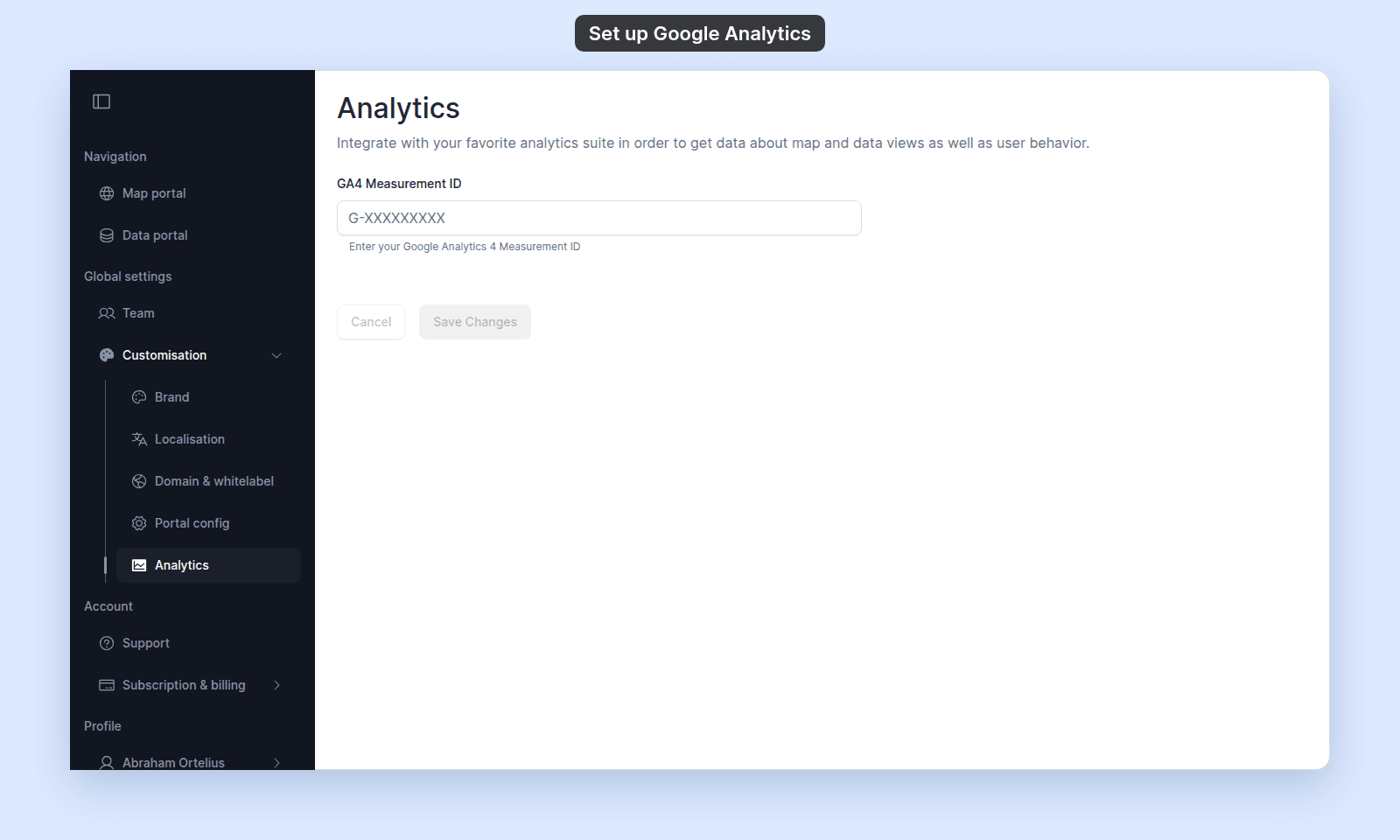
When it doesn’t, an upgrade prompt opens over the page. Not now closes it and takes you to the Map portal:
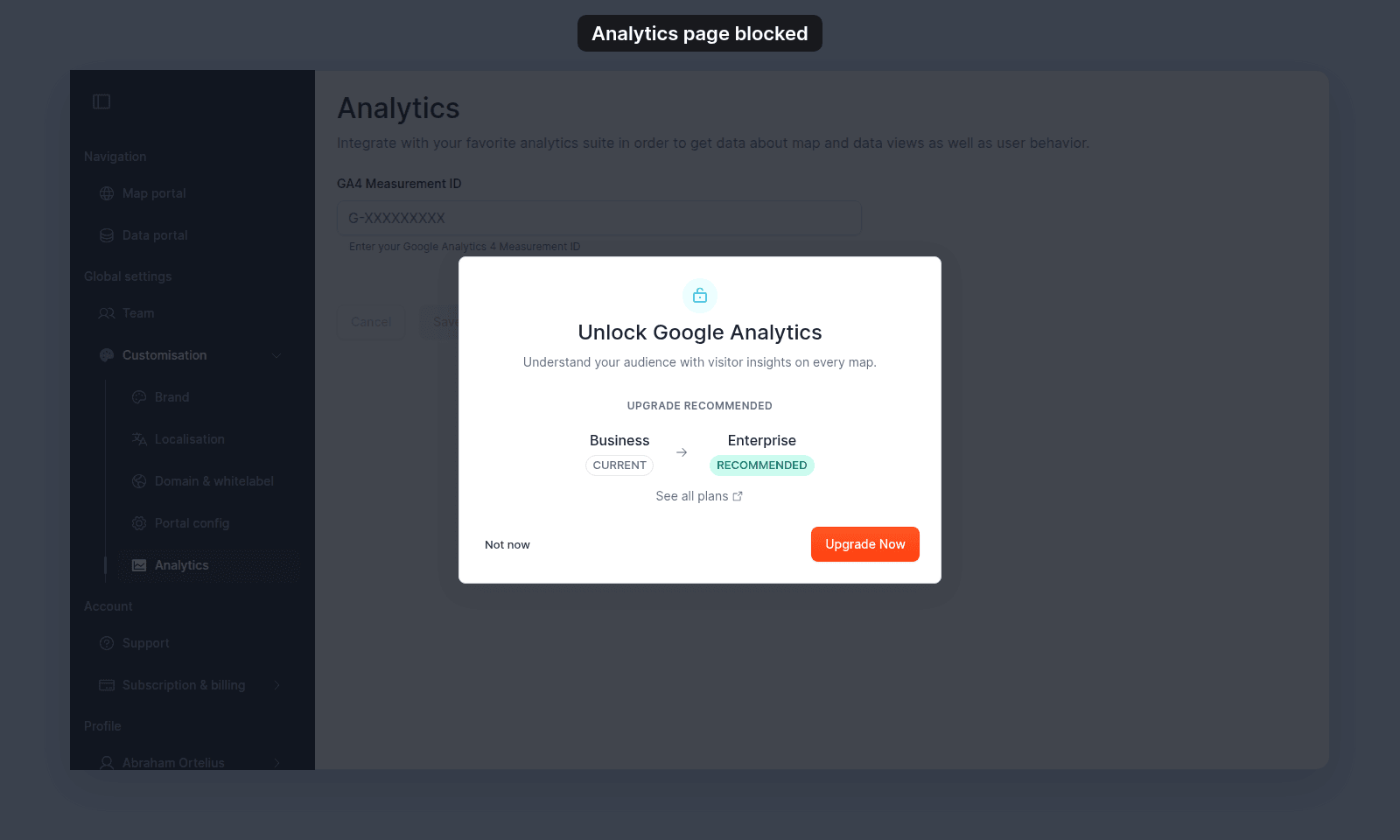
To verify, open Customisation > Analytics. If the upgrade prompt opens, your subscription does not include the integration.
To fix:
- Upgrade your subscription to a tier that includes the Google Analytics integration.
- Or use Google Analytics outside MangoMap and accept that map and data view events from MangoMap won’t appear in your GA property.
Less common: you are not the account owner
If the page is blocked entirely (not an upgrade prompt — a forbidden state or sidebar item that is missing), the cause is the owner-only restriction, not the subscription. See The Customisation menu is blocked.
What other Customisation pages do without this integration
The other four Customisation pages — Brand, Localisation, Domain & whitelabel, and Portal config — are not gated by the Google Analytics integration. They open with no upgrade prompt for any owner. The premium gate is specific to Analytics.
If none of the above
Ask support to confirm what your subscription includes. Include your account name and a screenshot of the upgrade prompt.
Related
- How to set up Google Analytics
- How customisation works in MangoMap
- Customisation menu reference
- The Customisation menu is blocked - if the page is fully blocked rather than showing an upgrade prompt.