

How to set up Google Analytics
Connect a Google Analytics 4 property to track map and data views. Enter your G- Measurement ID on the Analytics page and save. Universal Analytics IDs fail.
Enterprise and Agency onlyConnecting a Google Analytics 4 property sends pageview and event data from maps, dataset pages, and the portal to your GA4 dashboard.
Before you start
- You need to be the account owner. Only the user with the
Ownerrole can open theAnalyticspage. - Your subscription must include the Google Analytics integration. Without it, the page shows an upgrade prompt instead of the form.
- Have your GA4 Measurement ID ready. Format:
G-XXXXXXXXX.
Open the Analytics page
In the admin sidebar, open Global settings > Customisation > Analytics.
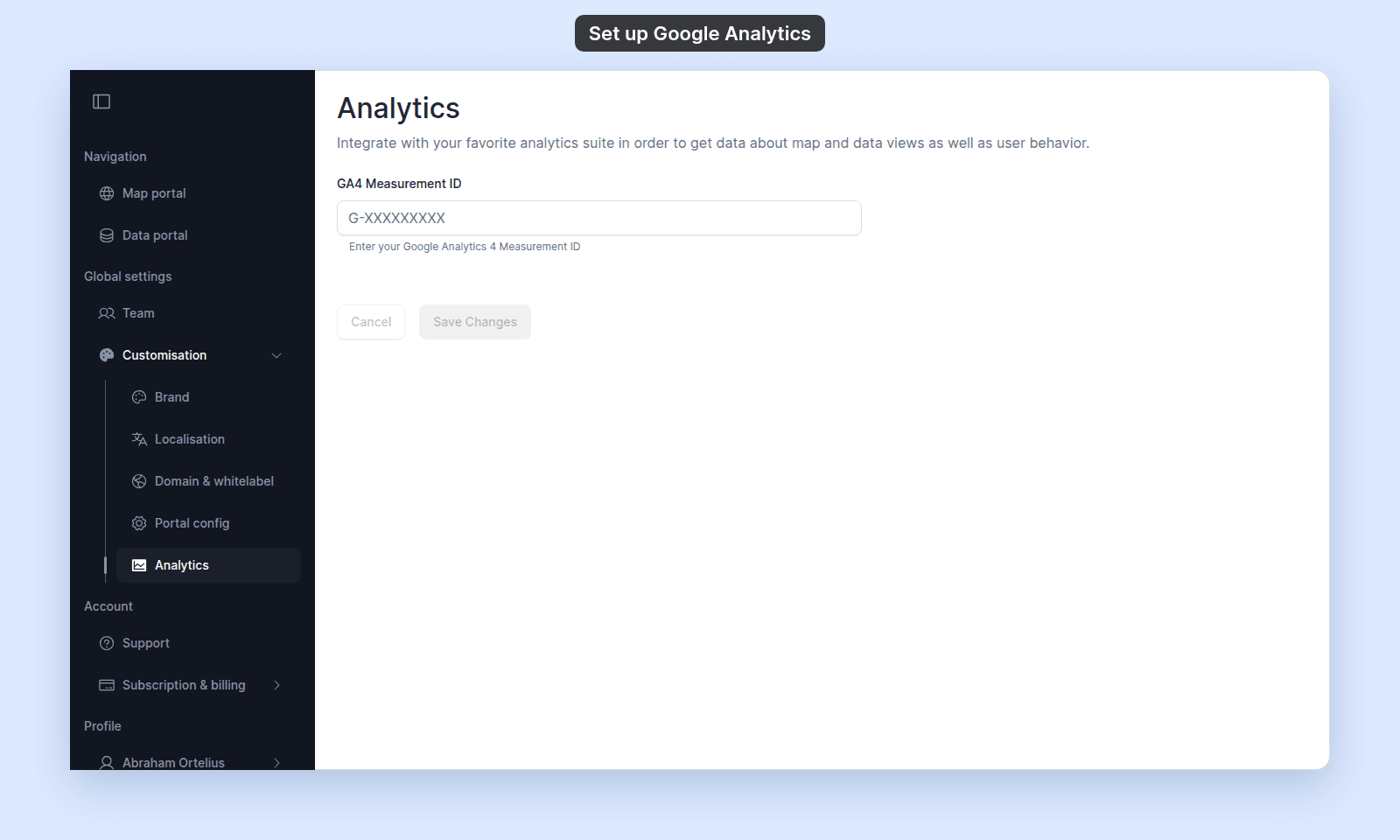
This page uses an explicit Save Changes button — unlike most Customisation pages, changes do not auto-save.
Enter your Measurement ID
Paste or type your Measurement ID in GA4 Measurement ID.
The Save Changes button is disabled until you make a change.
Save the change
Click Save Changes. To discard pending edits before saving, click Cancel first.
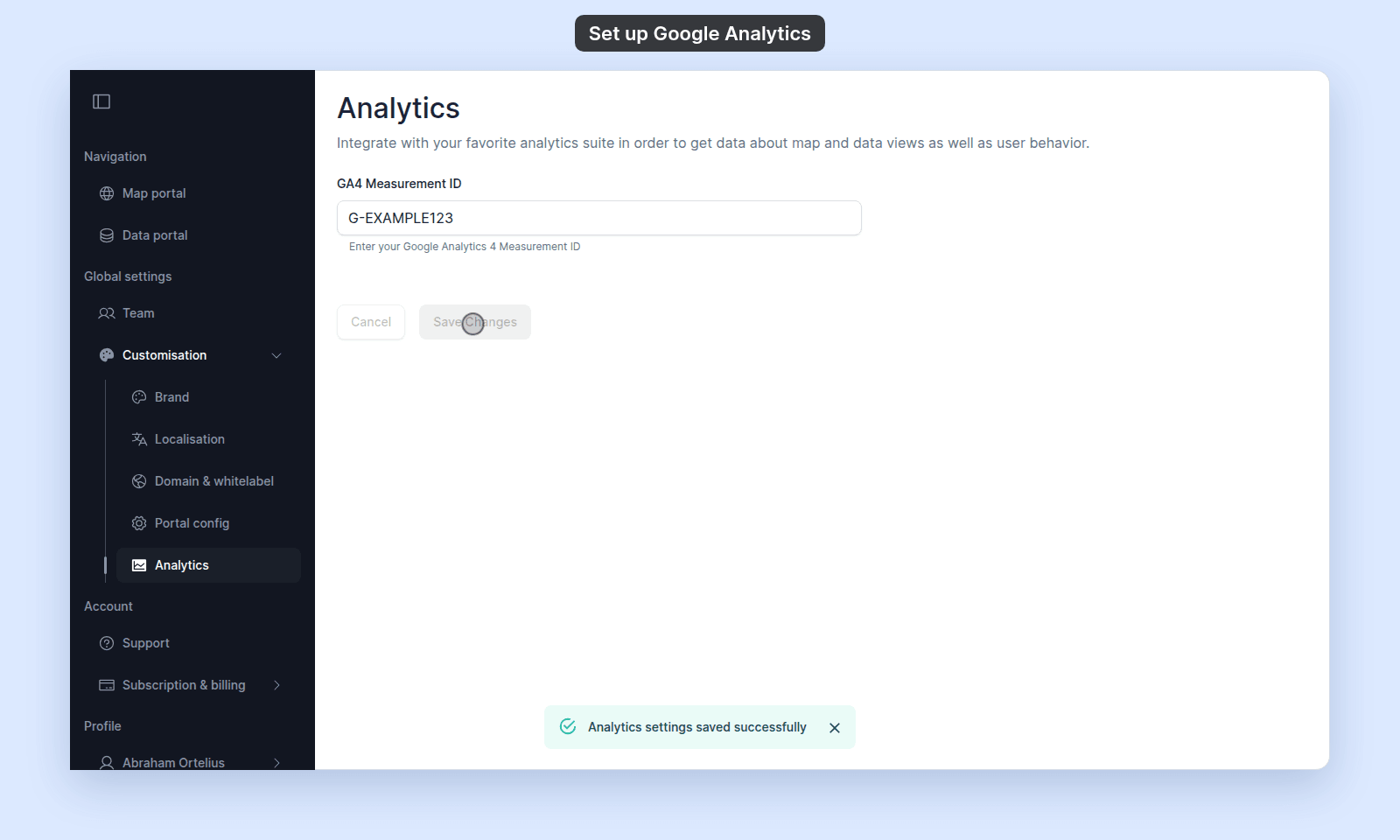
GA4 may take time to show the data in its dashboard.
Troubleshooting
The page shows an upgrade prompt instead of the form
Your subscription does not include the Google Analytics integration. See The Analytics page shows an upgrade prompt.
The page is blocked entirely
You are not the account owner. See The Customisation menu is blocked.
You saved a Measurement ID but no events appear in GA4
Common causes: the ID is for a Universal Analytics property (must be GA4); the ID is for a different property; ad-blockers on the visitor side are blocking the GA tag; the GA4 ingestion delay hasn’t elapsed.
Adding other tracking or advertising scripts
MangoMap doesn’t allow other tracking or advertising scripts. Use the Google Analytics integration.