

Dataset access settings are disabled
Find out why the Public Access and Internal Access switches are greyed out on a dataset, and who can manage dataset access instead.
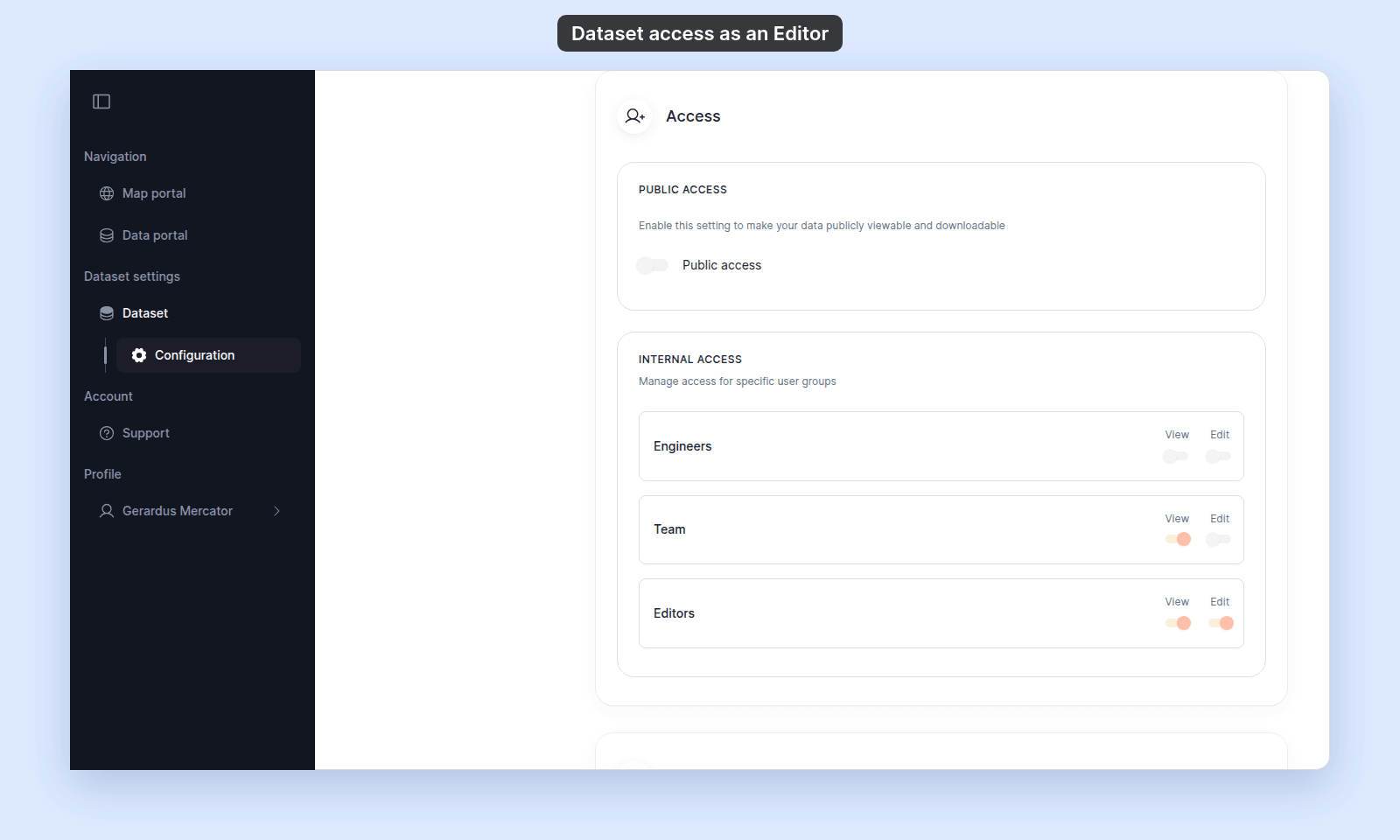
The Public Access and Internal Access switches are disabled when you can edit the dataset but cannot manage its access settings. You can still view the settings, but you cannot change them. If you cannot edit the dataset at all, the settings do not open.
Most likely cause: you do not have manage-access permission
You can manage dataset access when you created the dataset, you are the account owner, or you have an Admin account role and Edit access through a group on the dataset.
If none apply, the switches stay disabled, and Manage Groups does not show.
This is what an Editor in a group with Edit access sees:
Ask the dataset creator or the account owner to either grant you Admin plus group Edit access, or to make the access change for you.
If you do not see Configuration
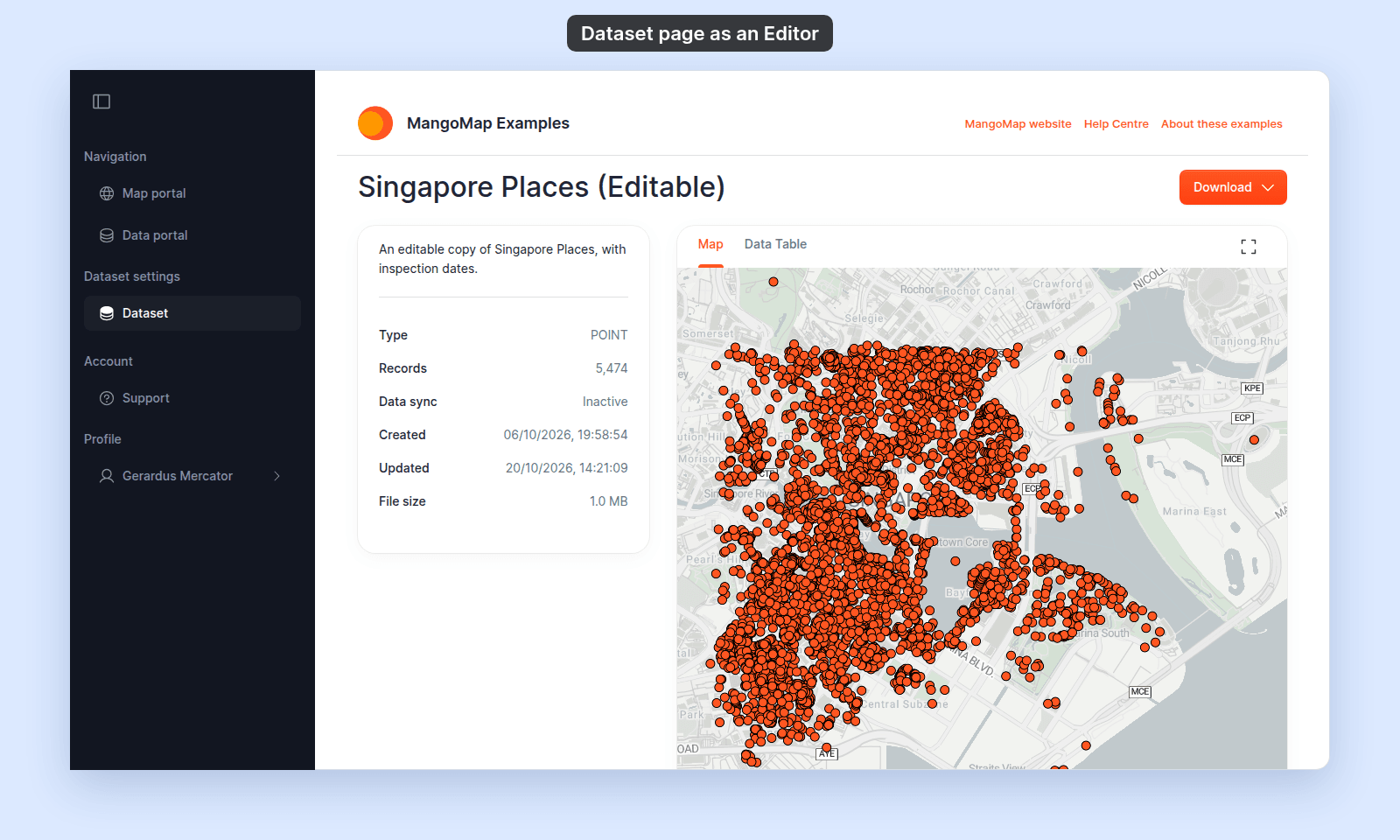
The access settings are on the dataset’s Configuration page. The sidebar shows Configuration under Dataset only when you can edit the dataset. If you cannot, a link to the settings page takes you to the Data portal instead. This is what an Editor with no group Edit access on the dataset sees:
To edit the dataset, you need an Editor (or higher) account role and Edit access through a group. To manage its access, you need an Admin account role and Edit access through a group. Ask the dataset creator or the account owner for the access you need.
Less common: you are in the wrong account
If you belong to more than one MangoMap account, confirm that you are signed in to the account that owns the dataset.
A dataset is owned by the account that imported it. You cannot manage its access from a different account, even if you have an Admin role there.
Less common: your group lost edit access
Admin users only qualify to manage dataset access while they also have Edit access through a group on the dataset. If a group’s Edit switch was turned off, an Admin who relied on that group can no longer manage access.
Ask the dataset creator or the account owner to confirm that your group still has Edit access for the dataset.
If none of the above
Ask support to check the dataset ID, your account role, and your group membership. Include the dataset URL and the email address you use to sign in.