

How to edit a feature's attributes
Change the stored values of one vector feature with Edit attributes. Saving updates the dataset and every map that uses it.
Use Edit attributes to change one vector feature. Saving updates the dataset and every map that uses it.
Before you start
- Sign in with permission to edit features in the dataset.
- Use a vector layer with an enabled popup.
- Confirm that a dataset-wide change is intended.
Open the attribute editor
- Select the feature on the map.
- Open the popup’s three-dot menu.
- Click
Edit attributes.
The editor opens on the right with the feature’s current values.
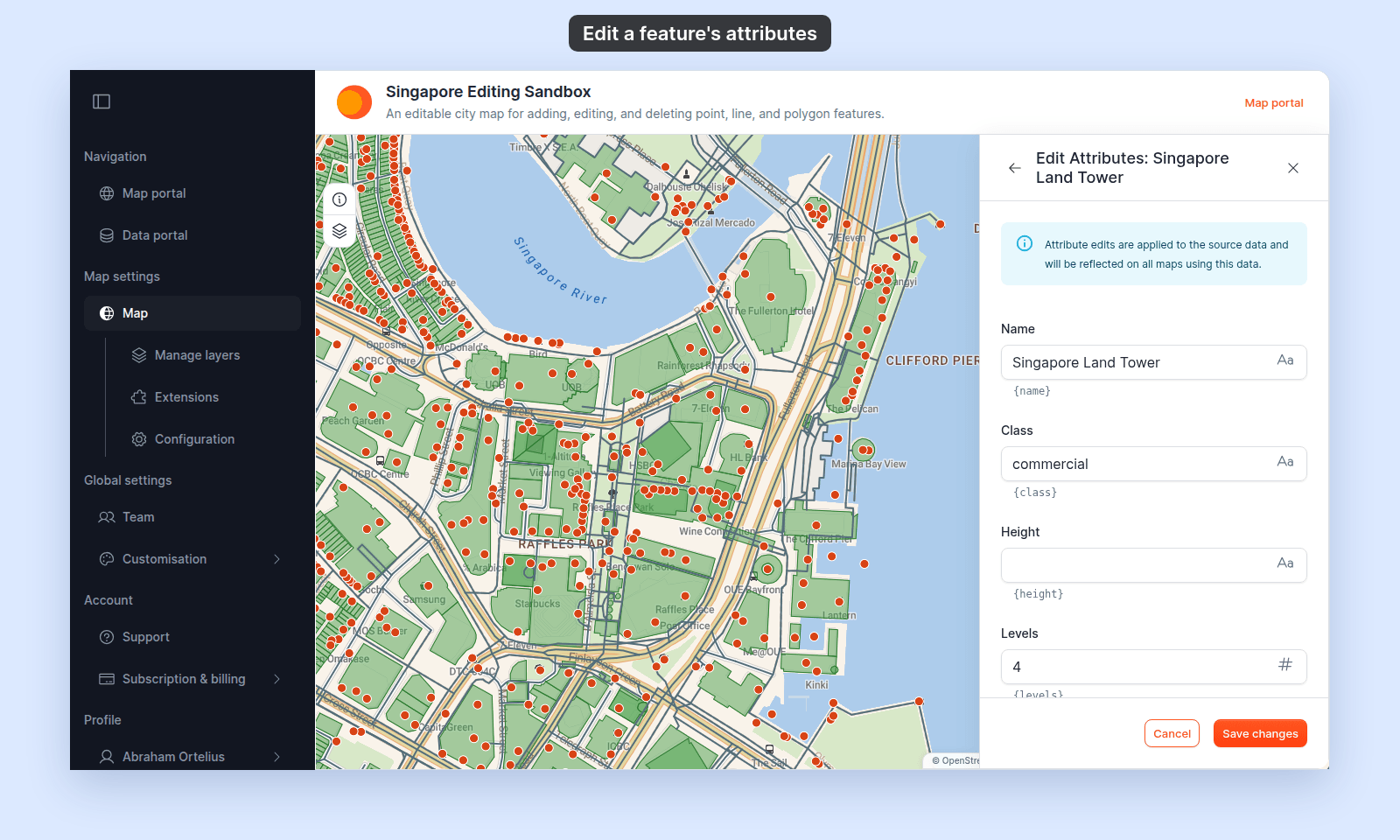
Change values
MangoMap picks each field’s control:
- Date picker: the field has a
Date & Timeformat. - Number: the value is a number.
- Text: any other field.
Click the calendar icon in a date field to open its picker. The picker shows times in your browser’s time zone. Click OK to use the new value, or Cancel to keep the old one.
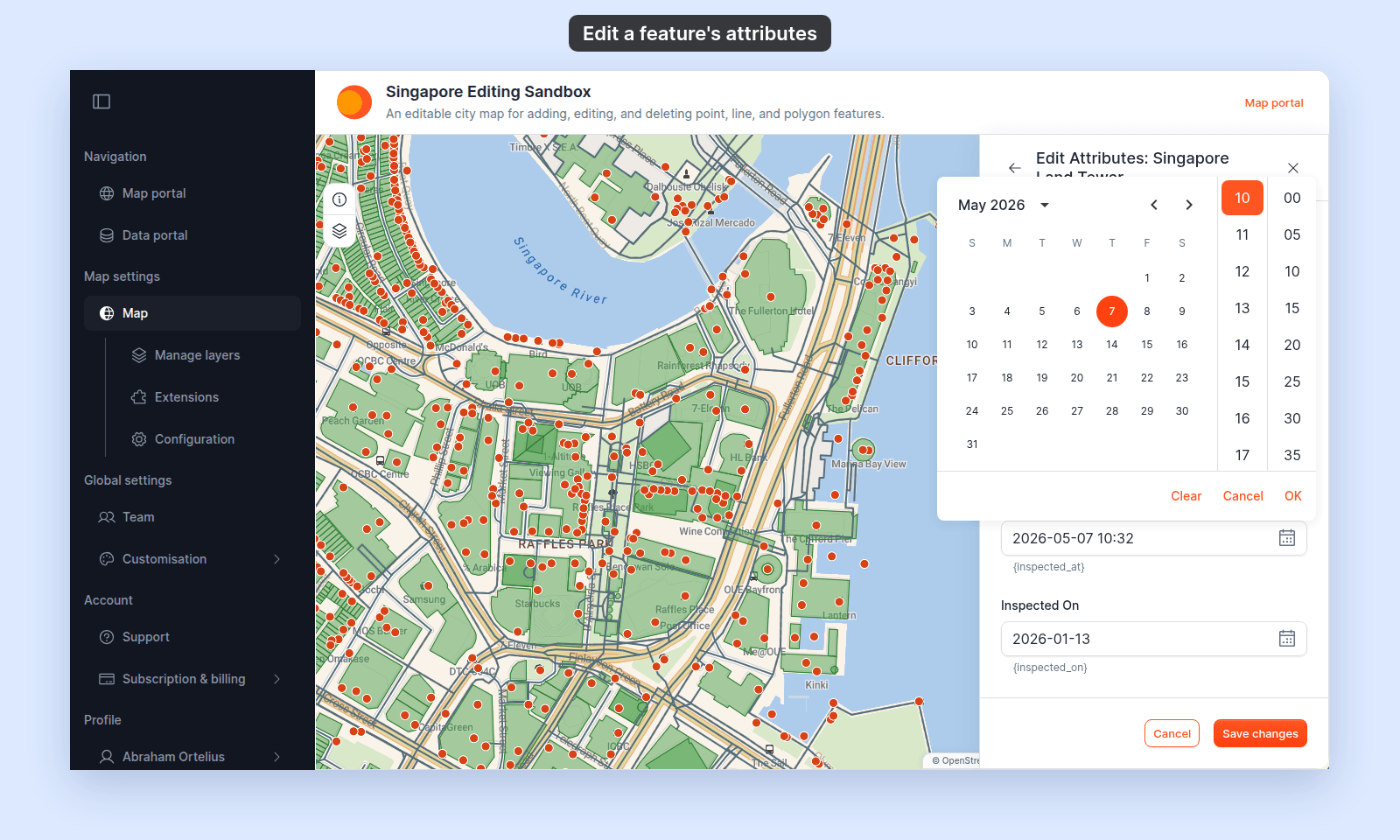
Internal ID and geometry fields are not shown.
Save or cancel
Click Save changes to update the dataset. On success, the editor closes, the feature shows the new values.
Click Cancel to discard the unsaved form values.
If saving fails
- Confirm that your edit permission is still active.
- Check that numeric and date values match the attribute’s expected format.
- Retry after restoring the network connection.
If saving fails, the old values stay in place.