---
title: "How to show or hide the title block on the map"
description: "Show or hide the map title and description in the bar above the map with the Display title block switch. It is on for new maps."
seo:
title: "Show or hide the title block"
sidebar:
label: "Show or hide the title block"
---
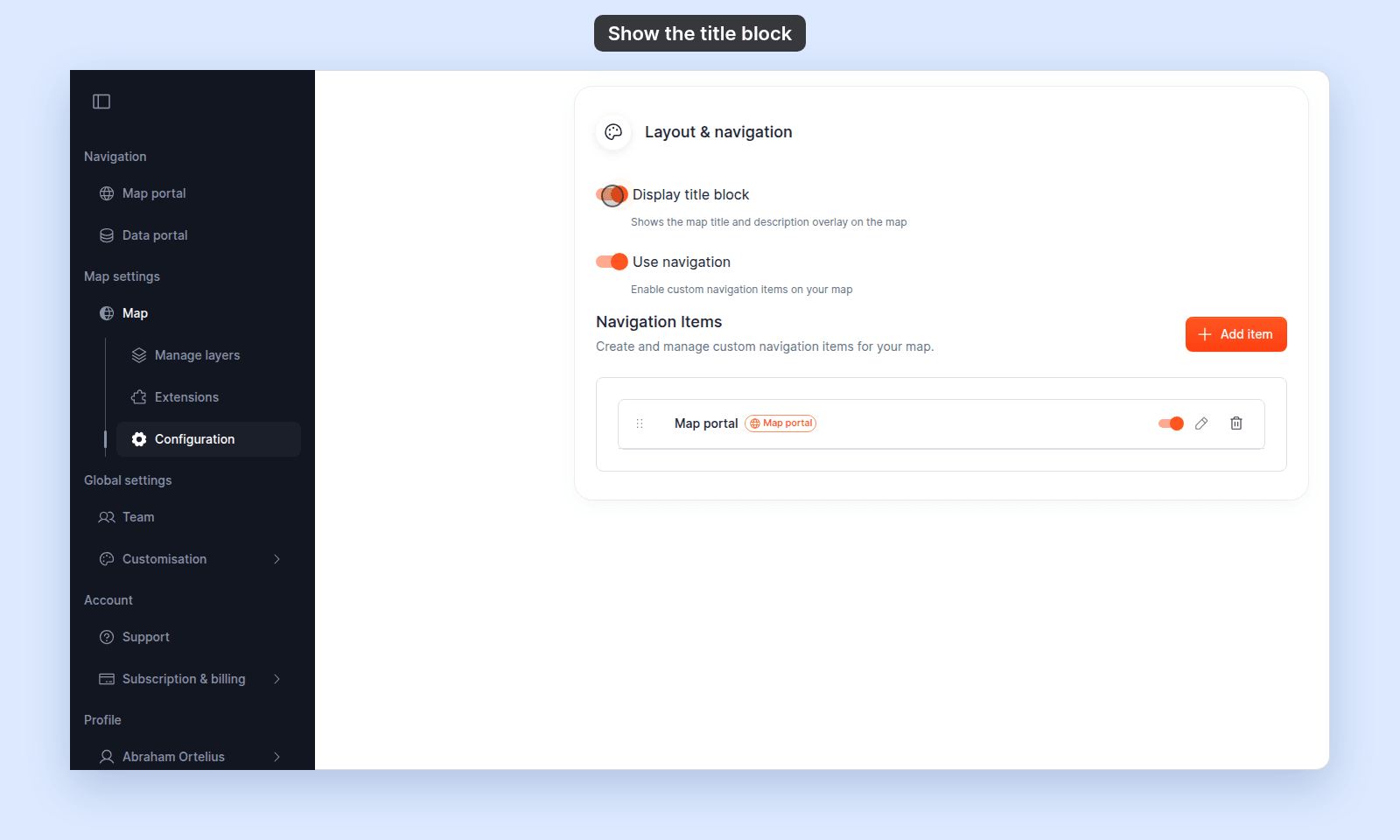
`Display title block` shows or hides the `Map title` and `Description` in the bar above the map. It is on for a new map. The setting changes the map view only; the portal listing card, browser tab, and SEO snippets still use the title and description.
## Before you start
- You need edit access to the map.
- The title block uses the `Map title` and `Description` from `Map details`. Set them first ([How to set the map title and description](/docs/map-settings/set-map-title-and-description)).
## Open the map's `Configuration` page
Open the map and click `Configuration` in the sidebar. In the page's side nav, click `Layout & navigation`.
## Turn the title block on or off
Click the `Display title block` switch. The setting saves on click.
 ## Verify the result
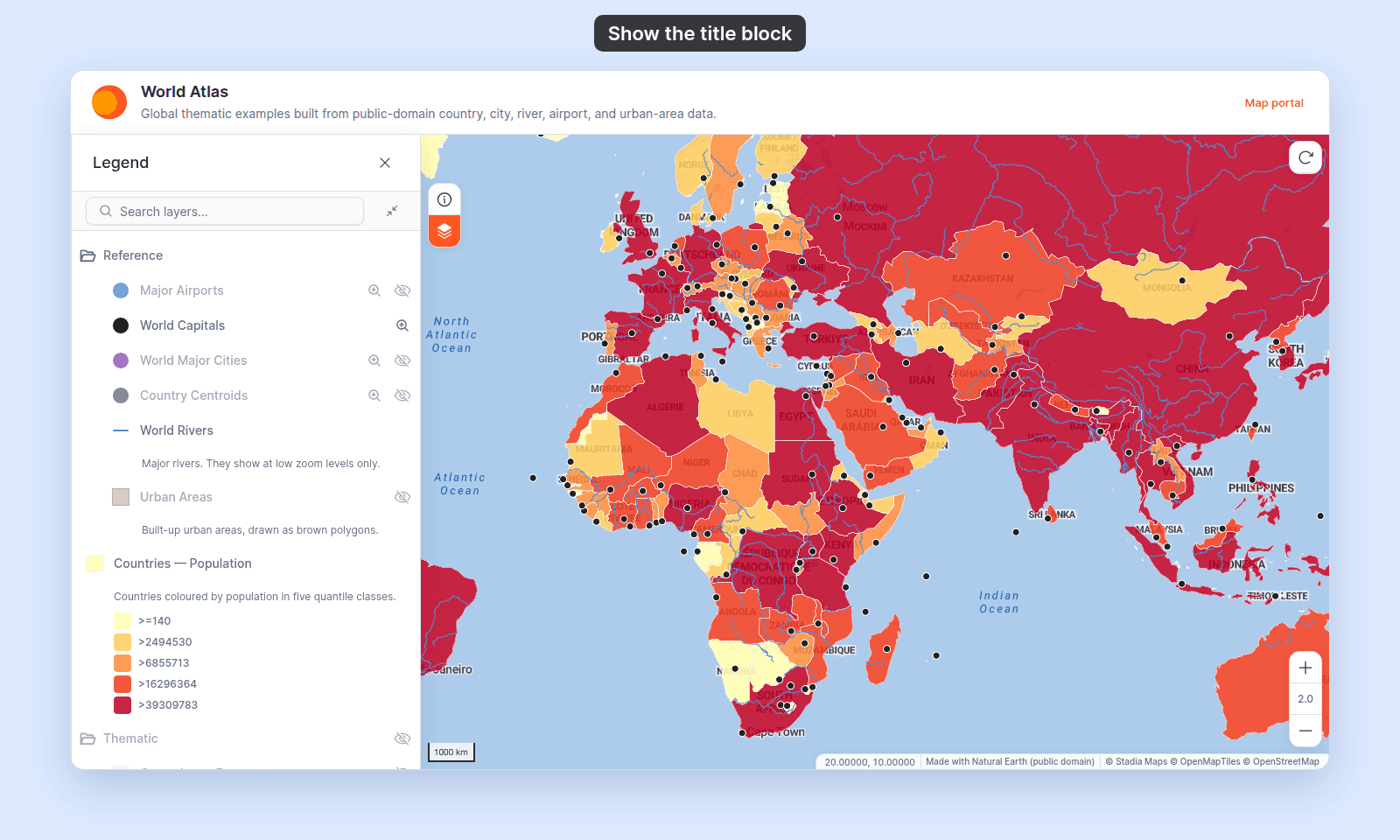
Open the map (or refresh it). With the title block on, the map title and description show in the bar above the map:
## Verify the result
Open the map (or refresh it). With the title block on, the map title and description show in the bar above the map:
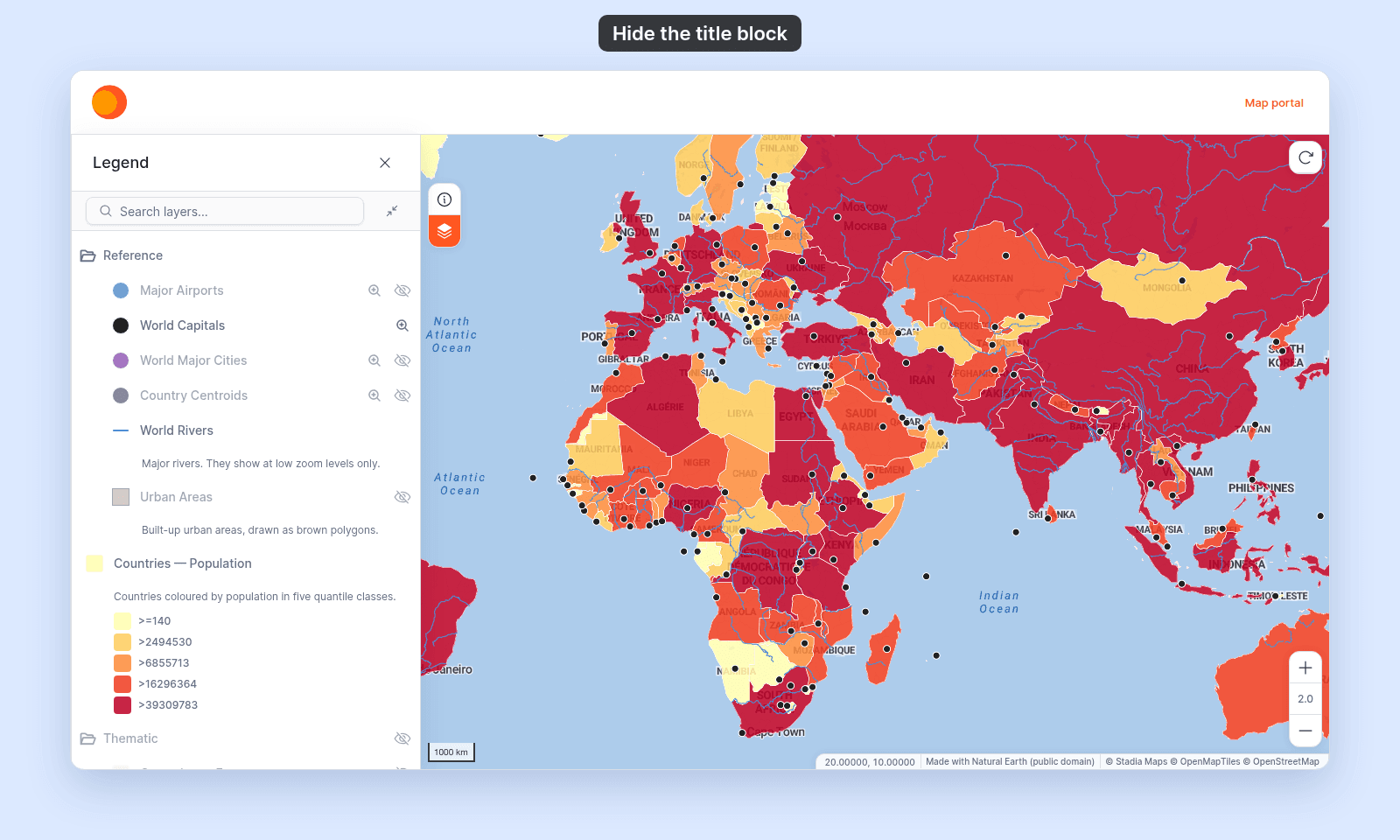
 With the title block off, the title and description are gone. If the map has a [navigation menu](/docs/map-settings/build-custom-navigation-menu), the bar stays to hold it; with no navigation items, the bar goes too and the map fills the space:
 ## When to hide the title block
Hide the title block when you want more room for the map, or when the map has no need for a title on screen. The portal listing and SEO snippets still carry the title and description, so portal visitors still see them.
## When to hide the title block
Hide the title block when you want more room for the map, or when the map has no need for a title on screen. The portal listing and SEO snippets still carry the title and description, so portal visitors still see them.