---
title: "How to share a map with groups"
description: "Give a group View or Edit access to a map from Configuration > Access. Members open or change the map after they sign in. A group does not create a public link."
sidebar:
label: "Share with groups"
---
Granting a group `View` or `Edit` lets its members open or change the map after sign-in. Manage group members separately. `Edit` includes `View` (the switches are linked), and `Edit` lets a member change the map only if their account role is `Admin`; when `Publishing mode` is `Public`, every group inherits view access. While `Allow public access` is on, every signed-in member of your account can open the map. Turn it off to limit viewing to chosen groups.
Follow the questions to see whether a group member can view or edit the map.
## Before you start
- You need permission to share the map. Share access follows edit access.
- The groups you want to use should already exist. If no groups exist, the access screen shows `Create a Group`. See [How to create an access group](/docs/managing-team/create-an-access-group).
- Group access is for signed-in users. It does not create a public link.
## Open group access
Open the map. In the sidebar, under the map's name, click `Configuration`, then click `Access`.
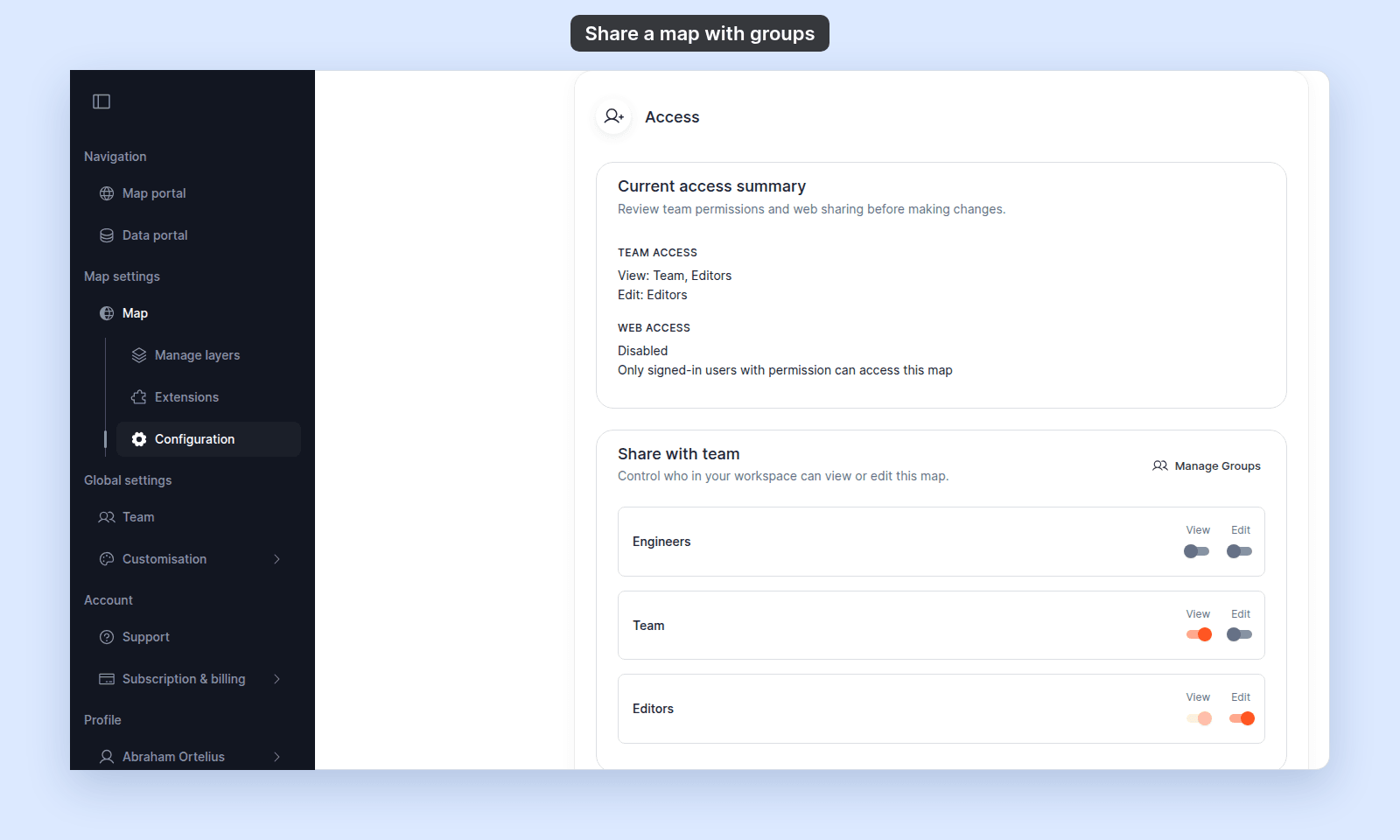
In `Current access summary`, check `Team access` to see which groups can currently view or edit the map. The switches in `Share with team` save as soon as you change them.
## Give a group view access
In `Share with team`, turn on `View` for the group.
Members of that group can view the map after signing in. If `Edit` is already on for the group, `View` is already included.
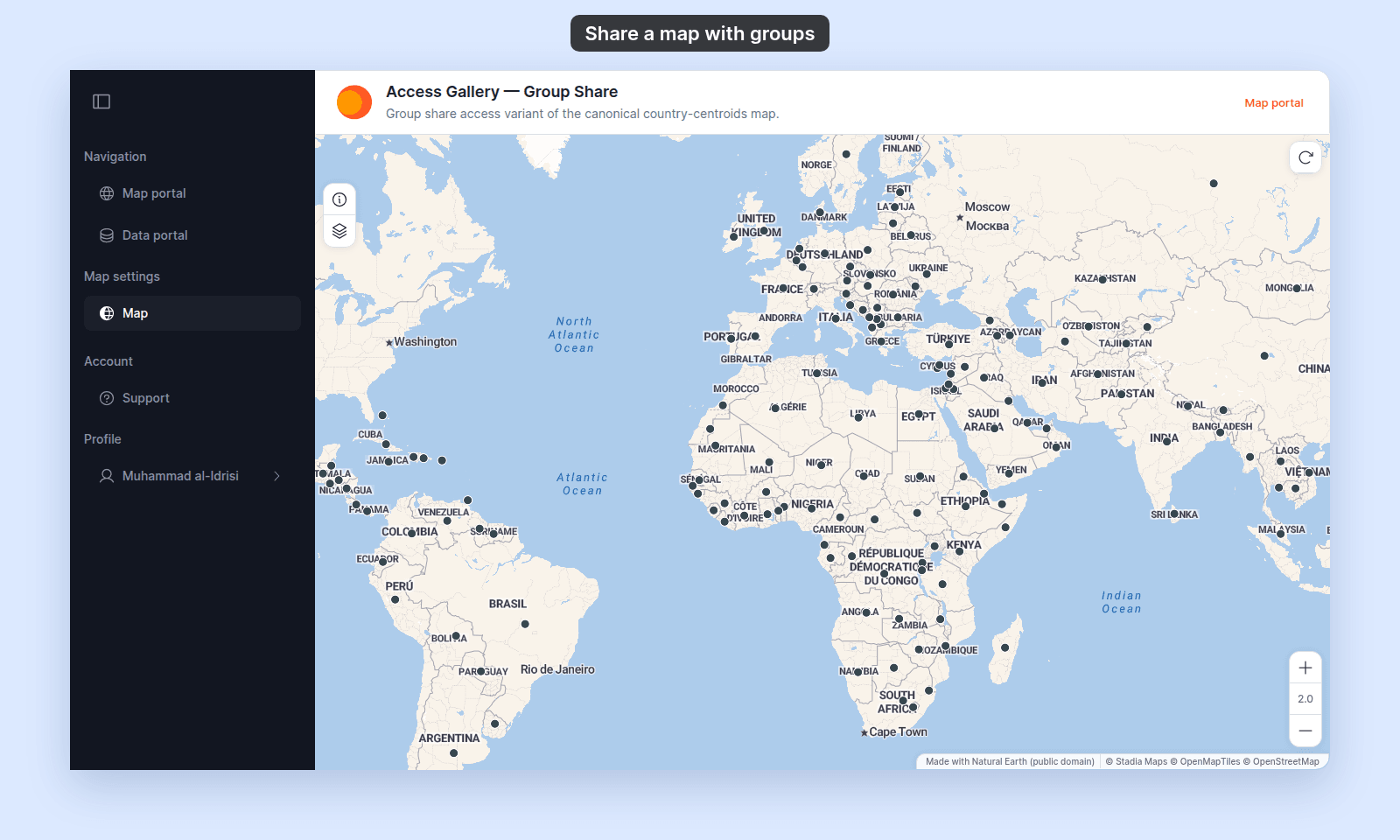
A member sees the map, but not its `Configuration` page. Here, Muhammad al-Idrisi, a `Viewer` in the `Team` group, opens the map:
## Give a group edit access
In `Share with team`, turn on `Edit` for the group.
`Edit` access also counts as view access. Through group `Edit`, only members with the `Admin` role can change the map. Other members can open the map but not change it, unless they created it.
## Remove group access
In `Share with team`, turn off `View` and `Edit` for the group.
If `Edit` is on, turn it off before removing view-only access. `Edit` includes view access, so `View` stays effectively enabled while `Edit` is enabled.
## If view access is inherited from web publishing
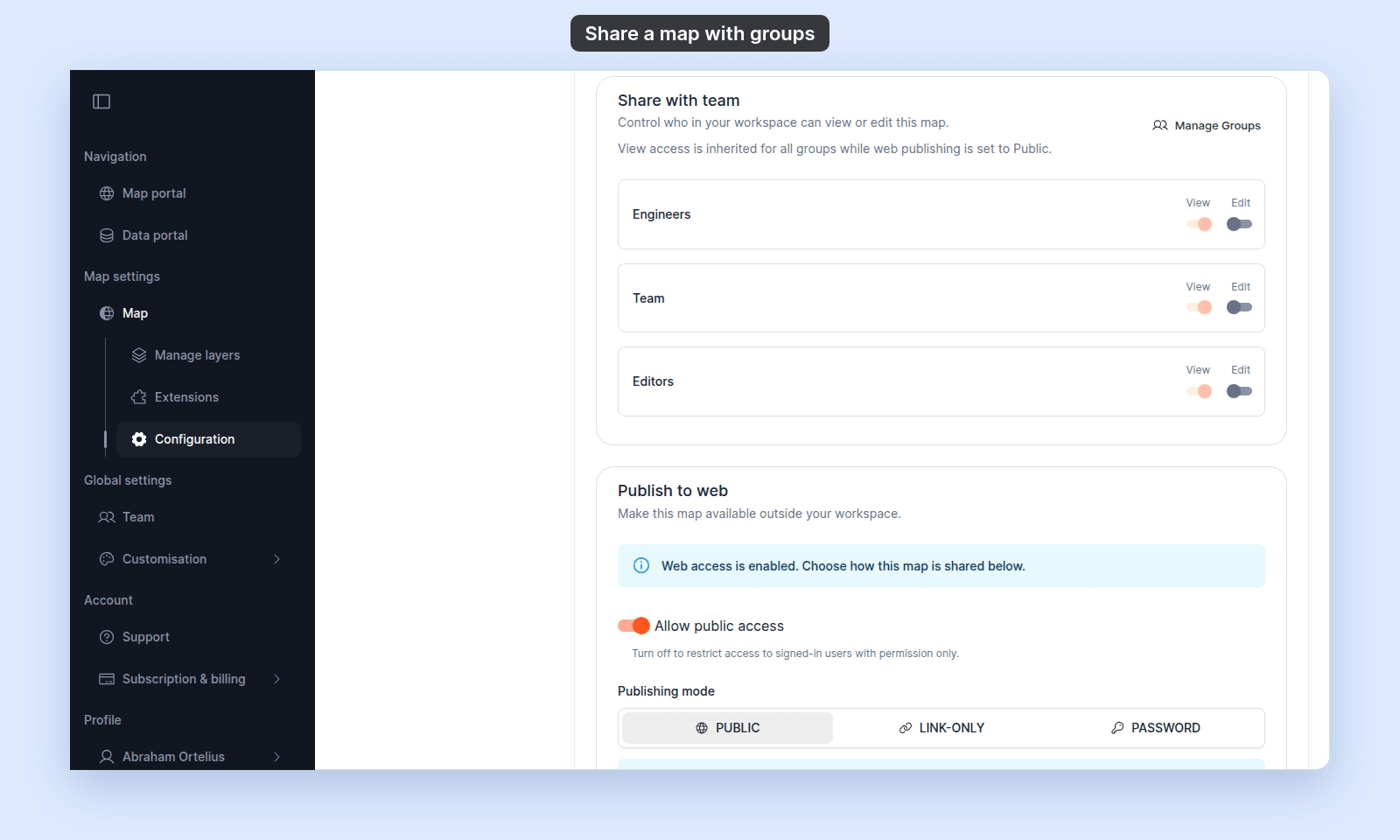
When `Publishing mode` is `Public`, every group's `View` switch is on and locked. Anyone can view the map through public web access, including signed-in users in every group.
To make group view access specific again, turn off `Allow public access`. With `Link-only` or `Password`, the `View` switches unlock, but every signed-in member of your account can still open the map from its link, without the password.
## If you need to create or manage groups
Click `Create a Group` when no groups exist. The button opens the [`Create group`](/docs/managing-team/create-an-access-group) form.
Click `Manage Groups` to open the [`Access Groups`](/docs/managing-team/users-page-reference) tab on the `Users` page. Group create, edit, and delete are documented in [Team management](/docs/managing-team).
## Troubleshooting
**Access settings are disabled.** You do not have permission to share this map. See [Access settings are disabled](/docs/map-access/troubleshoot-access-settings-disabled).
**A group can view even though `View` is off.** Check whether `Edit` is on, because `Edit` includes view access. Also check whether `Allow public access` is on, because web access lets every signed-in member of your account open the map.
## Related
- [Map access settings](/docs/map-access/map-access-settings)
- [How map access works in MangoMap](/docs/map-access/concepts-map-access)
- [How to configure map access](/docs/map-access/configure-map-access)
- [How to publish a map to the web](/docs/map-access/publish-map-to-web)
- [Account roles reference](/docs/account-roles/account-roles-reference) - explains how account role and group access combine for editing maps.
 ## Give a group view access
In `Share with team`, turn on `View` for the group.
Members of that group can view the map after signing in. If `Edit` is already on for the group, `View` is already included.
A member sees the map, but not its `Configuration` page. Here, Muhammad al-Idrisi, a `Viewer` in the `Team` group, opens the map:
## Give a group view access
In `Share with team`, turn on `View` for the group.
Members of that group can view the map after signing in. If `Edit` is already on for the group, `View` is already included.
A member sees the map, but not its `Configuration` page. Here, Muhammad al-Idrisi, a `Viewer` in the `Team` group, opens the map:
 ## Give a group edit access
In `Share with team`, turn on `Edit` for the group.
`Edit` access also counts as view access. Through group `Edit`, only members with the `Admin` role can change the map. Other members can open the map but not change it, unless they created it.
## Remove group access
In `Share with team`, turn off `View` and `Edit` for the group.
If `Edit` is on, turn it off before removing view-only access. `Edit` includes view access, so `View` stays effectively enabled while `Edit` is enabled.
## If view access is inherited from web publishing
When `Publishing mode` is `Public`, every group's `View` switch is on and locked. Anyone can view the map through public web access, including signed-in users in every group.
## Give a group edit access
In `Share with team`, turn on `Edit` for the group.
`Edit` access also counts as view access. Through group `Edit`, only members with the `Admin` role can change the map. Other members can open the map but not change it, unless they created it.
## Remove group access
In `Share with team`, turn off `View` and `Edit` for the group.
If `Edit` is on, turn it off before removing view-only access. `Edit` includes view access, so `View` stays effectively enabled while `Edit` is enabled.
## If view access is inherited from web publishing
When `Publishing mode` is `Public`, every group's `View` switch is on and locked. Anyone can view the map through public web access, including signed-in users in every group.
 To make group view access specific again, turn off `Allow public access`. With `Link-only` or `Password`, the `View` switches unlock, but every signed-in member of your account can still open the map from its link, without the password.
## If you need to create or manage groups
Click `Create a Group` when no groups exist. The button opens the [`Create group`](/docs/managing-team/create-an-access-group) form.
Click `Manage Groups` to open the [`Access Groups`](/docs/managing-team/users-page-reference) tab on the `Users` page. Group create, edit, and delete are documented in [Team management](/docs/managing-team).
## Troubleshooting
**Access settings are disabled.** You do not have permission to share this map. See [Access settings are disabled](/docs/map-access/troubleshoot-access-settings-disabled).
**A group can view even though `View` is off.** Check whether `Edit` is on, because `Edit` includes view access. Also check whether `Allow public access` is on, because web access lets every signed-in member of your account open the map.
## Related
- [Map access settings](/docs/map-access/map-access-settings)
- [How map access works in MangoMap](/docs/map-access/concepts-map-access)
- [How to configure map access](/docs/map-access/configure-map-access)
- [How to publish a map to the web](/docs/map-access/publish-map-to-web)
- [Account roles reference](/docs/account-roles/account-roles-reference) - explains how account role and group access combine for editing maps.
To make group view access specific again, turn off `Allow public access`. With `Link-only` or `Password`, the `View` switches unlock, but every signed-in member of your account can still open the map from its link, without the password.
## If you need to create or manage groups
Click `Create a Group` when no groups exist. The button opens the [`Create group`](/docs/managing-team/create-an-access-group) form.
Click `Manage Groups` to open the [`Access Groups`](/docs/managing-team/users-page-reference) tab on the `Users` page. Group create, edit, and delete are documented in [Team management](/docs/managing-team).
## Troubleshooting
**Access settings are disabled.** You do not have permission to share this map. See [Access settings are disabled](/docs/map-access/troubleshoot-access-settings-disabled).
**A group can view even though `View` is off.** Check whether `Edit` is on, because `Edit` includes view access. Also check whether `Allow public access` is on, because web access lets every signed-in member of your account open the map.
## Related
- [Map access settings](/docs/map-access/map-access-settings)
- [How map access works in MangoMap](/docs/map-access/concepts-map-access)
- [How to configure map access](/docs/map-access/configure-map-access)
- [How to publish a map to the web](/docs/map-access/publish-map-to-web)
- [Account roles reference](/docs/account-roles/account-roles-reference) - explains how account role and group access combine for editing maps.