---
title: "How to delete a feature"
description: "Delete one feature from its dataset with the Delete feature action. The change is permanent, so check how to confirm it and restore data."
sidebar:
label: "Delete a feature"
---
`Delete feature` permanently removes one feature from its dataset and every map that uses it. A dialog asks you to confirm, and you cannot undo the deletion.
## Before you start
- Sign in with permission to edit features in the dataset.
- Verify that you selected the correct feature and layer.
- Keep an external source copy if the data may need to be restored.
## Delete the feature
> [!WARNING]
> Deleting a feature removes it from the dataset and from every map that uses the dataset. You cannot undo it.
1. Select the feature on the map.
2. Open the popup's three-dot menu.
3. Click `Delete feature`. A confirmation dialog opens.
4. Click `Delete`. To keep the feature, click `Cancel`.
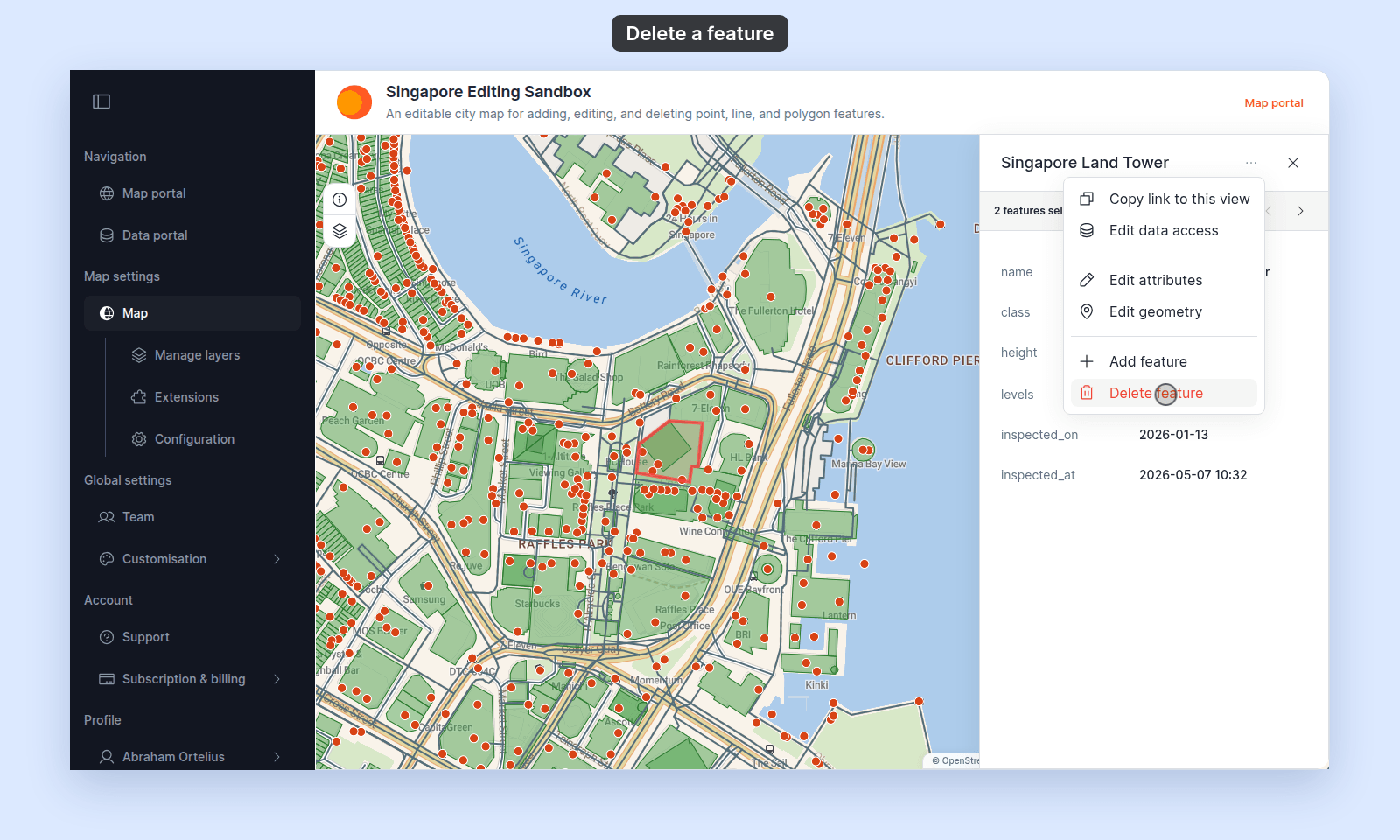
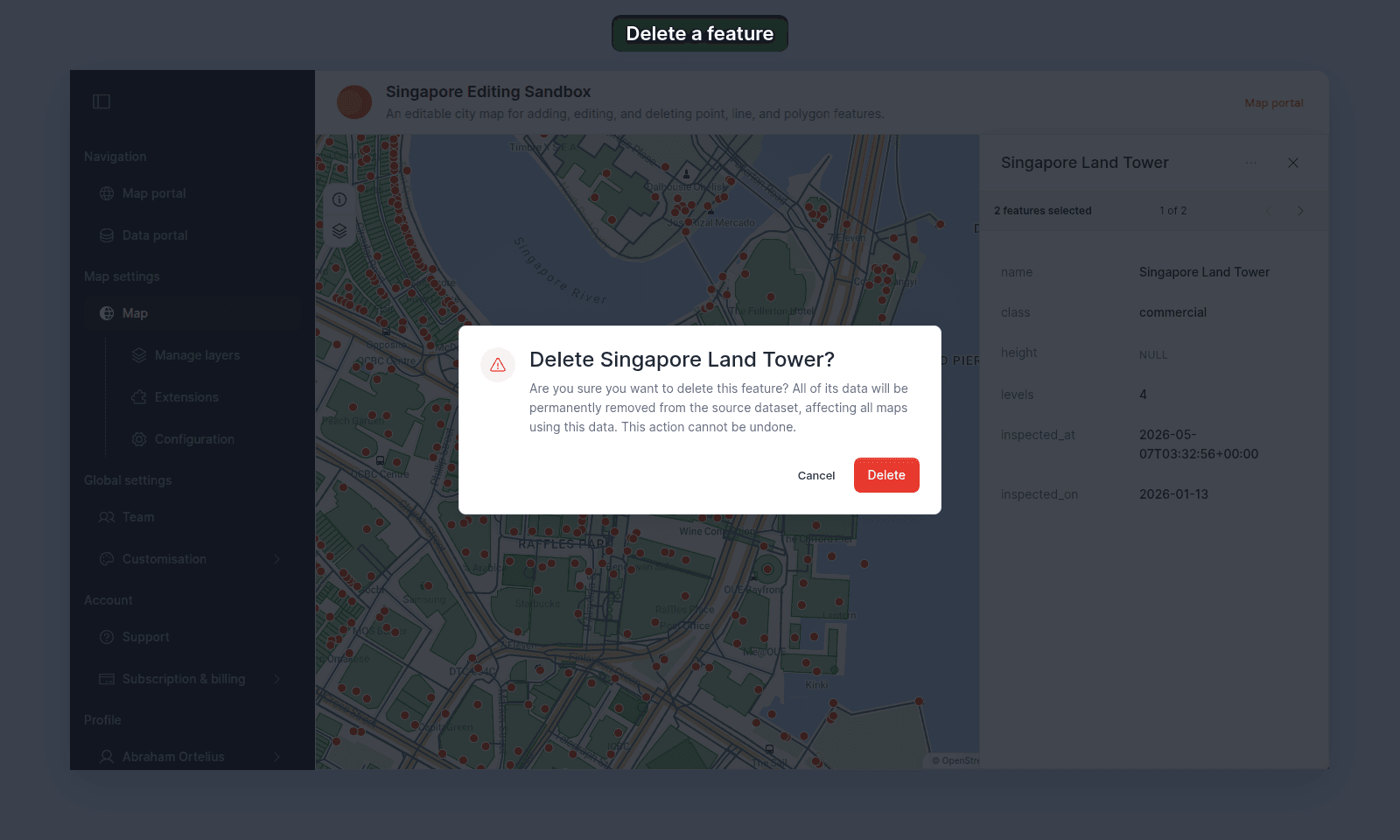 When the deletion succeeds, the popup closes.
## Restore a deleted feature
MangoMap does not keep a feature-edit history. To restore the data:
- Add a replacement manually with [Add a feature](/docs/editing-features/add-a-feature), or
- Update the dataset from an external source containing the missing feature.
A recreated feature is a new feature. Links to the deleted one will not follow it.
## Delete many features
The popup action deletes one feature at a time. For a bulk removal, prepare a complete source file without the unwanted features and [update the dataset](/docs/data-updates/update-a-dataset-from-a-file).
## If deletion fails
Refresh the map before retrying. The feature may already have been deleted, your permission may have changed, or the connection may have dropped.
## Related
- [How feature editing works](/docs/editing-features/concepts-feature-editing)
- [Add a feature](/docs/editing-features/add-a-feature)
- [Feature edit controls](/docs/editing-features/feature-edit-controls-reference)
When the deletion succeeds, the popup closes.
## Restore a deleted feature
MangoMap does not keep a feature-edit history. To restore the data:
- Add a replacement manually with [Add a feature](/docs/editing-features/add-a-feature), or
- Update the dataset from an external source containing the missing feature.
A recreated feature is a new feature. Links to the deleted one will not follow it.
## Delete many features
The popup action deletes one feature at a time. For a bulk removal, prepare a complete source file without the unwanted features and [update the dataset](/docs/data-updates/update-a-dataset-from-a-file).
## If deletion fails
Refresh the map before retrying. The feature may already have been deleted, your permission may have changed, or the connection may have dropped.
## Related
- [How feature editing works](/docs/editing-features/concepts-feature-editing)
- [Add a feature](/docs/editing-features/add-a-feature)
- [Feature edit controls](/docs/editing-features/feature-edit-controls-reference)