---
title: How to set up Google Analytics
description: "Connect a Google Analytics 4 property to track map and data views. Enter your G- Measurement ID on the Analytics page and save. Universal Analytics IDs fail."
sidebar:
label: "Set up Google Analytics"
search:
keywords: [google tag, gtag, tracking code]
---
Enterprise and Agency only
Connecting a Google Analytics 4 property sends pageview and event data from maps, dataset pages, and the portal to your GA4 dashboard.
**GA4 only**
The form accepts Google Analytics 4 Measurement IDs. Universal Analytics `UA-` IDs are not accepted.
## Before you start
- You need to be the account owner. Only the user with the `Owner` role can open the `Analytics` page.
- Your subscription must include the Google Analytics integration. Without it, the page shows an upgrade prompt instead of the form.
- Have your GA4 Measurement ID ready. Format: `G-XXXXXXXXX`.
1. **Open the Analytics page**
In the admin sidebar, open `Global settings` > `Customisation` > `Analytics`.
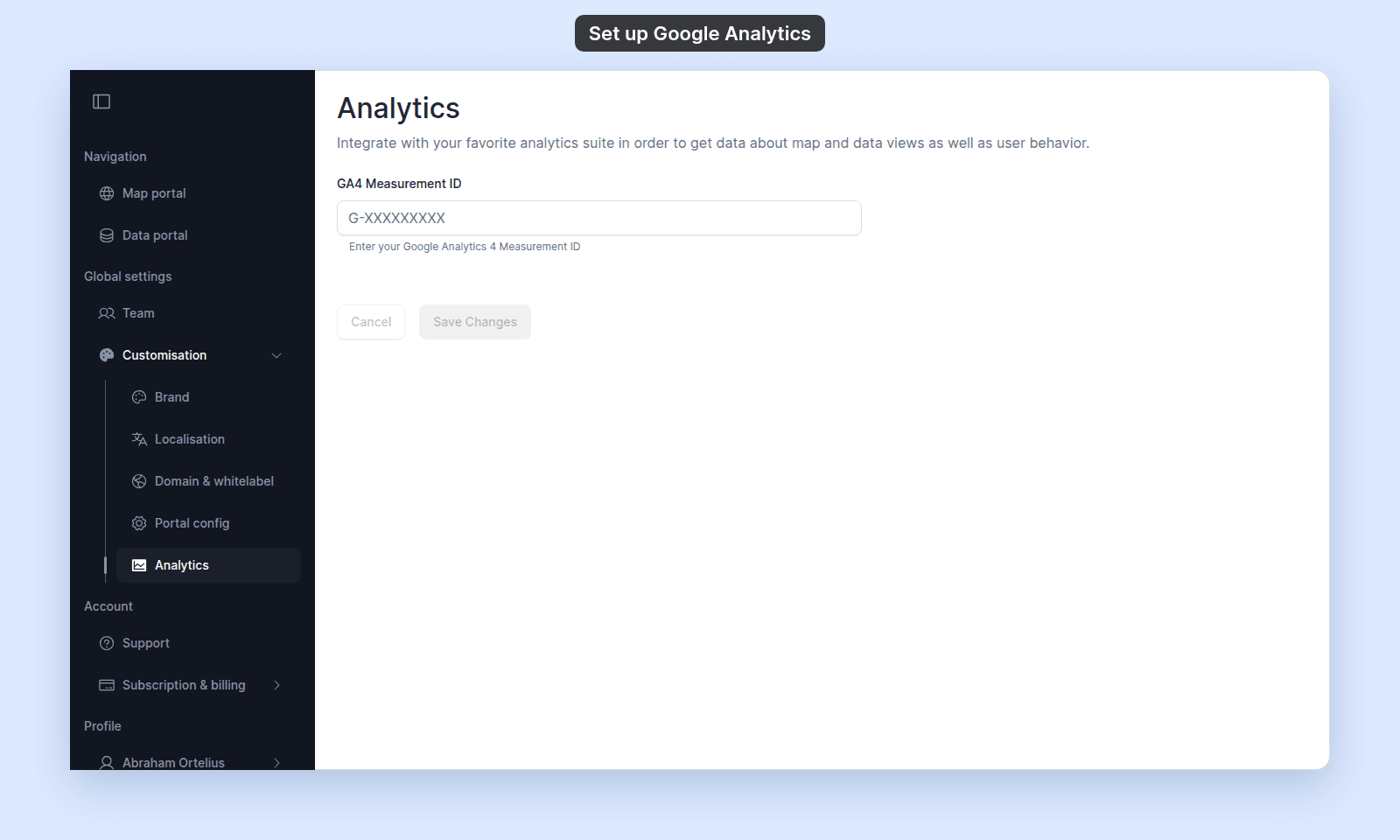 This page uses an explicit `Save Changes` button — unlike most Customisation pages, changes do not auto-save.
2. **Enter your Measurement ID**
Paste or type your Measurement ID in `GA4 Measurement ID`.
The `Save Changes` button is disabled until you make a change.
3. **Save the change**
Click `Save Changes`. To discard pending edits before saving, click `Cancel` first.
This page uses an explicit `Save Changes` button — unlike most Customisation pages, changes do not auto-save.
2. **Enter your Measurement ID**
Paste or type your Measurement ID in `GA4 Measurement ID`.
The `Save Changes` button is disabled until you make a change.
3. **Save the change**
Click `Save Changes`. To discard pending edits before saving, click `Cancel` first.
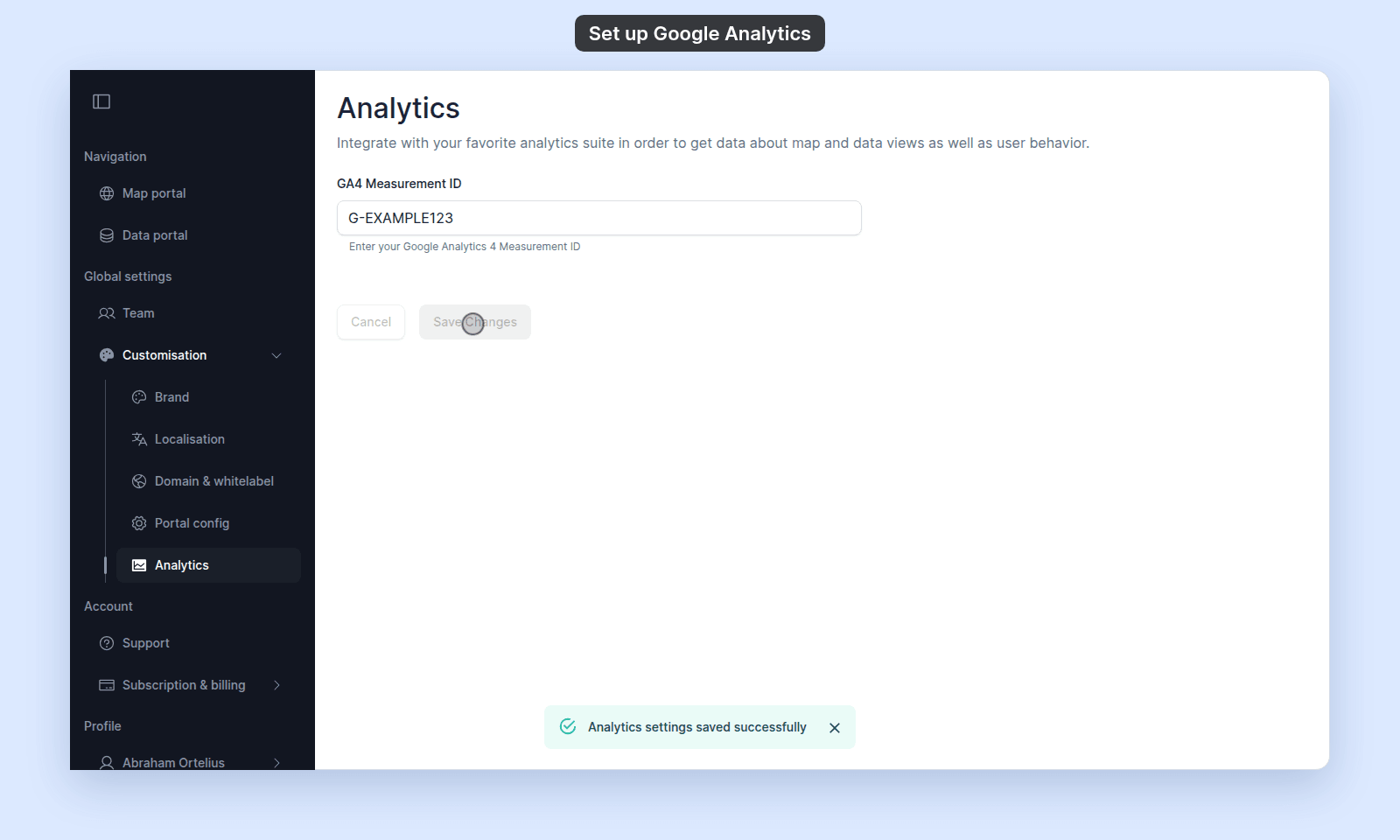 GA4 may take time to show the data in its dashboard.
## Troubleshooting
**The page shows an upgrade prompt instead of the form**
Your subscription does not include the Google Analytics integration. See [The Analytics page shows an upgrade prompt](/docs/customisation/troubleshoot-analytics-page-blocked).
**The page is blocked entirely**
You are not the account owner. See [The Customisation menu is blocked](/docs/customisation/troubleshoot-customisation-menu-blocked).
**You saved a Measurement ID but no events appear in GA4**
Common causes: the ID is for a Universal Analytics property (must be GA4); the ID is for a different property; ad-blockers on the visitor side are blocking the GA tag; the GA4 ingestion delay hasn't elapsed.
## Adding other tracking or advertising scripts
MangoMap doesn't allow other tracking or advertising scripts. Use the Google Analytics integration.
## Related
- [Customisation menu reference](/docs/customisation/customisation-menu-reference)
- [How customisation works in MangoMap](/docs/customisation/concepts-customisation)
GA4 may take time to show the data in its dashboard.
## Troubleshooting
**The page shows an upgrade prompt instead of the form**
Your subscription does not include the Google Analytics integration. See [The Analytics page shows an upgrade prompt](/docs/customisation/troubleshoot-analytics-page-blocked).
**The page is blocked entirely**
You are not the account owner. See [The Customisation menu is blocked](/docs/customisation/troubleshoot-customisation-menu-blocked).
**You saved a Measurement ID but no events appear in GA4**
Common causes: the ID is for a Universal Analytics property (must be GA4); the ID is for a different property; ad-blockers on the visitor side are blocking the GA tag; the GA4 ingestion delay hasn't elapsed.
## Adding other tracking or advertising scripts
MangoMap doesn't allow other tracking or advertising scripts. Use the Google Analytics integration.
## Related
- [Customisation menu reference](/docs/customisation/customisation-menu-reference)
- [How customisation works in MangoMap](/docs/customisation/concepts-customisation)